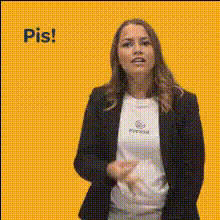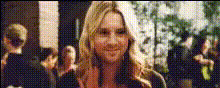
woman-waving-at-camera
Overview
With the Video Face Swap template, you can create engaging videos by swapping faces in real-time, capturing dynamic expressions like waving at the camera. This simple yet powerful tool lets users produce memorable and entertaining content with ease, making it a great choice for creators looking to elevate their video productions.
What It Does
This template transforms videos by replacing the subject's face with another, enabling creators to experiment with different appearances or characters in their clips. It provides a fun twist on traditional video editing, bringing a new layer of creativity to your projects. For more transformative video editing options, explore our Face Swap Video product.
Who It's For
This template is perfect for social media influencers, content creators, and anyone interested in creating humorous or captivating videos. Whether you're an amateur or a professional, the Video Face Swap template offers an accessible means to diversify your video offerings. It's also a great tool for brands wanting to engage their audience in playful and interactive ways.
Summary
Enhance your video production with the woman-waving-at-camera template. By swapping faces and incorporating dynamic actions like waving, you can create content that truly resonates with your audience. For additional creative tools, check out the AI Talking Photo and AI GIF Generator products.
How To
Choose Your Template

Customize Inputs

Generate and Download

Use Cases
Social Media Content
- Humorous face swap effects
- Engaging visual storytelling
Marketing Campaigns
- Interactive brand experiences
- Customizable video ads
Personal Projects
- Create amusing clips
- Personalized digital greetings
Best Practices
Choose High-Quality Inputs
For the best results, use high-resolution images or videos to ensure clarity and seamless face swaps.Align with the Scene
Make sure the new face is aligned naturally with the body movements to maintain realism.Experiment with Different Faces
Try out various faces to explore all possible creative angles in your video projects.