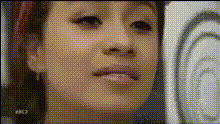
woman-smiling-at-camera
Overview
The "Woman Smiling at Camera" template is designed for creators looking to inject personality into their videos through transformative face swaps. This template leverages the versatile capabilities of Video Face Swap to alter and customize footage. The setup allows for seamless integration into various projects, ensuring high engagement through dynamic visual edits.
What It Does
This template focuses on swapping the face of a woman smiling directly at the camera with another face of your choice. It uses advanced AI to maintain realistic expressions and lighting. With the ability to alter key visual elements, it's perfect for creating fun montages, engaging social media content, or personalized video messages.
Integrate with the AI Image Editor to enhance the background or adjust other visual aspects post-swap for greater impact.
Who It's For
Ideal for marketers, content creators, and social media influencers, this template caters to those who need quick, professional-quality results. Whether you're crafting content for social media ads or creating personal video projects, this tool makes it simple to achieve standout effects.
Summary
The "Woman Smiling at Camera" template is a versatile tool for video enhancements using face swap technology. It’s easy to implement and customize, providing users with endless opportunities to express creativity. Explore our AI Video Generator for additional functionalities in your projects.
How To
Choose Your Template

Customize Your Inputs

Generate and Download

Use Cases
Social Media Content
- Enhance video engagement
- Generate eye-catching visuals
Personalized Videos
- Create unique birthday messages
- Design personalized video invites
Promotional Material
- Enhance brand stories
- Put a fresh face on product demos
Best Practices
Source High-Quality Images
Use high-resolution images for the best swap results, ensuring clarity and detail.Match Lighting and Angles
Choose source images with similar lighting and angles to maintain a natural look.Refine Post-Process
Use tools like the AI Image Editor to tweak lighting or backgrounds after creating the swap, for a polished final product.