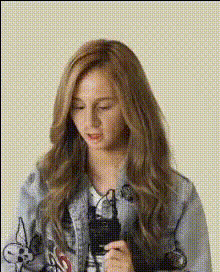
woman-smiling-at-microphone
Overview
Transform your videos with our "Woman Smiling at Microphone" template specifically designed for Video Face Swap. This engaging template allows you to create captivating and humorous clips, perfect for various social media platforms. Designed to deliver fun and viral content, it's never been easier to give videos a unique twist.
What It Does
The "Woman Smiling at Microphone" template enables you to swap faces realistically in any chosen video. Leverage the power of our AI Image Editor to refine and perfect the swapped face, enhancing realism and visual appeal. The template utilizes advanced algorithms to ensure the face swap maintains original facial expressions and movements, making results believable and engaging.
Who It's For
This template is ideal for content creators, social media influencers, and marketers aiming to spice up their video content. By incorporating elements from our AI GIF Generator, users can diversify their output, producing both static and dynamic content that captivates audiences. Whether you're new to video editing or an experienced professional, this tool makes creative video transformations accessible.
Summary
With the "Woman Smiling at Microphone" Video Face Swap template, transform ordinary videos into share-worthy content effortlessly. This tool utilizes Magic Hour’s cutting-edge technology to create realistic face swaps, ensuring your final product is not only entertaining but also of high quality. Explore endless possibilities with this dynamic toolset, and integrate it further into your projects using solutions like our AI Video Generator.
How-To
Choose Your Template

Customize Your Video

Generate and Export

Use Cases
Social Media Content
- Create viral videos for platforms like TikTok and Instagram.
- Add variety to your content strategy with humorous clips.
Marketing Campaigns
- Use in ads to showcase product versatility.
- Incorporate in campaigns to boost brand personality.
Entertainment
- Generate memes or parody videos for online communities.
- Offer fans exclusive, personalized content.
Best Practices
Source High-Quality Input Videos
For the best results, ensure the video and images used are of high resolution.Align Lighting and Angle
Check that the lighting and angle of the face being swapped are similar for a seamless result.Review and Edit
Use AI Image Editor post-swap to refine images for a polished finish.