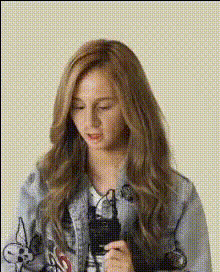
woman-holding-a-microphone
Overview
Transform your videos into captivating visual stories with the 'Woman Holding a Microphone' template. This Video Face Swap tool allows you to effortlessly change faces in dynamic video scenarios, adding a personal or humorous touch to any project. Whether it’s for entertainment or educational purposes, you can craft content that stands out.
What It Does
This template specializes in swapping faces in videos, enabling you to replace a face with another while maintaining realistic expressions and movements. It's perfect for creating engaging entertainment videos, personalized messages, or professional presentations.
The template integrates seamlessly with other tools like the AI Voice Changer for a comprehensive content creation experience, allowing for voice adjustments to match the new face.
Who It's For
Content creators, marketing professionals, and educators who wish to innovate their visual media will find this tool invaluable. Whether you're developing social media content, training materials, or simply want to amuse your audience, the AI GIF Generator can complement your projects by creating engaging short clips.
Summary
The 'Woman Holding a Microphone' template offers a sophisticated way to enhance any video project through face-swapping technology. It caters to a variety of industries, from marketing to education, enhancing both engagement and personalization. Paired with tools like the Image to Video converter, this template supports a wide range of creative possibilities.
How To Use
Choose Template

Customize Your Video

Generate and Download

Use Cases
Social Media Content
- Engaging face swap videos
- Humorous content pieces
Marketing Campaigns
- Tailored video advertisements
- Interactive video messages
Educational Videos
- Training or explainer videos with improved engagement
- Customizable teacher-student interaction scenarios
Best Practices
Choose High-Quality Footage
Ensure your source video is of high resolution for better face swap accuracy and quality.Align Faces Correctly
Proper alignment is key. Use the template's adjustment features to match facial positions accurately.Utilize Complementary Tools
Incorporate tools like AI Image Upscaler to enhance video clarity after processing for a polished final product.