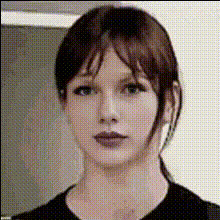
woman-in-black-shirt
face-swap
Any aspect ratio
Tags
transformationsTransform Any Reaction Into Your Own: Viral Face Swap Template for Magic Hour
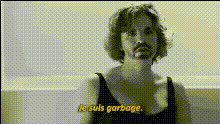
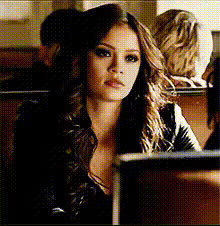
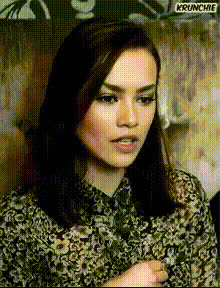
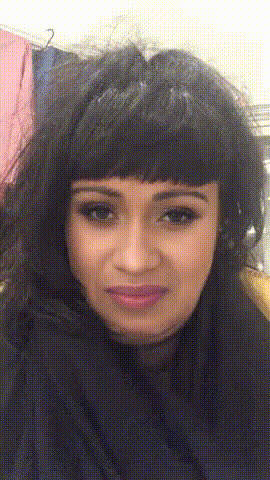
Turn trending reactions, memes, and cinematic moments into personalized content in minutes. This template uses Magic Hour’s powerful Face Swap technology to replace the face in any video with your own (or a character, client, or influencer), while keeping expressions, motion, and lighting intact.
Use it to:
- Localize global memes and reactions for your brand or language
- Put your founder, spokesperson, or persona into iconic clips
- Create UGC-style ads without booking talent
- Prototype creative concepts for campaigns, pitches, or videos
- Generate reaction assets for YouTube, TikTok, Reels, or shorts
What This Template Does
This template is built on Magic Hour’s Face Swap Video workflow. It:
- Detects the original face in your source video
- Maps facial structure, angle, and expression
- Seamlessly blends your chosen face onto the target video
- Preserves head movement, lighting, and timing for natural-looking results
It’s ideal for:
- Reaction videos
- Meme remixes
- Commentary content
- Short-form social clips (TikTok, Shorts, Reels)
- Promotional and creator content where speed matters
If you need animated lip movement synced to audio, combine this with Magic Hour’s Lip Sync or AI Talking Photo for fully talking characters.
How to Remix This Template in Magic Hour
You don’t need to start from scratch. To create your own version of this template inside Magic Hour:
Start from Face Swap Video
- Open the Face Swap Video tool.
- This template uses that exact flow, so anything you see here is reproducible with your own inputs.
Choose Your Target Video
- Use:
- A meme, GIF-like clip, or trending reaction video
- A short segment from your podcast or stream
- B-roll or stock video where you want to insert a different face
- For best results: choose a clip where the face is clearly visible and not fully blocked or turned away for most of the video.
- Use:
Upload or Select the Face to Swap In
- Options:
- Your own selfie or headshot
- A brand character or avatar (created with tools like AI Character Generator or Avatar Generator)
- A client, model, or spokesperson (with appropriate rights)
- Clear, front-facing images typically yield more accurate swaps.
- Options:
Generate the Swapped Video
- Run the face swap and preview the result.
- Download for publishing or reuse it inside other Magic Hour tools (e.g., upscaling, subtitles, or further edits).
Optional: Extend or Enhance
- Add audio and lip movement with Lip Sync or AI Talking Photo.
- Turn a static swapped image into motion with Image to Video.
- Sharpen or improve quality with Video Upscaler.
- Automatically add subtitles for social with Auto Subtitle Generator.
Example Use Cases for Creators, Marketers, and Teams
1. Reaction & Commentary Channels
- Insert your face into popular reaction formats to build a recognizable, consistent identity across videos.
- Use Face Swap GIF for quick looping reactions in Discord, Slack, or Twitter.
2. Performance Creative & UGC Ads
- A/B test multiple “actors” for the same script by swapping different faces into the same video.
- Localize the same creative concept for different markets or influencers without re-shoots.
3. Brand, Founder & Persona Content
- Put your founder’s face into meme templates for LinkedIn, X, or product launches.
- Combine with AI Headshot Generator to create a consistent brand persona, then reuse it across campaigns.
4. Social & Meme Creation
- Pair this template with:
- AI Meme Generator for captions and formats
- AI GIF Generator for short, looping content
- Thumbnail Maker for YouTube or Shorts covers
- Create an entire content pack from a single face and a handful of source clips.
Building More Advanced Workflows with Magic Hour
If you’re building a deeper pipeline (for a product, agency, or studio), you can chain this face swap template with other Magic Hour tools:
Design the Character Look
- Generate stylized or realistic faces with AI Face Generator, AI Selfie Generator, or AI Image Generator.
- Clean up, edit, or restyle images using the AI Image Editor and AI Face Editor.
Animate and Perform
- Turn static art into motion using Image to Video or Animation.
- Swap faces into live-action shots with Face Swap Video.
- Sync speech with Lip Sync and voiceovers from AI Voice Generator or AI Voice Cloner.
Final Polish
- Enhance clarity and resolution with AI Image Upscaler and Video Upscaler.
- Remove unwanted elements using AI Remover or Remove Object from Photo.
- Add subtitles with Auto Subtitle Generator.
Best Practices for Realistic Face Swaps
To get reliable, production-quality results:
Use High-Quality Inputs
- Sharper, well-lit faces generally produce better swaps.
- If your source photo is low quality, improve it with Unblur Image or Old Photo Restoration.
Match Angles and Expressions
- Try to match facial angle and expression between your source face and target video.
- Neutral expressions adapt well if you plan to use them across multiple clips.
Respect Rights and Ethics
- Only swap faces you have legal rights and consent to use (e.g., yourself, your team, contracted actors).
- Avoid misleading scenarios, impersonation, or deceptive use in ads or public content.
Think in Systems, Not Singles
- Create a small “face library” for key personas (founder, brand character, influencer archetypes).
- Reuse them across many videos and formats to build recognizable, consistent identity at scale.
Related Templates and Tools Worth Exploring
If you like this face swap template, you may also want to explore:
- Face Swap Video – the base workflow behind this template.
- Lip Sync – make your swapped face speak any script or audio.
- Video-to-Video – restyle entire videos while keeping motion.
- Animation – animate characters, scenes, or concepts from static sources.
- AI GIF Generator – turn swaps into short, shareable loops.
- AI Talking Photo – animate still portraits with facial motion and speech.
Who This Template Is For
This template is designed for:
- Creators & Streamers who need fast, repeatable reaction formats.
- Performance marketers & growth teams testing concepts and creatives at high velocity.
- Founders & product teams prototyping AI-powered content features.
- Studios & agencies that want to standardize a face swap pipeline for clients.
Start from this template, remix it with your own faces and clips in Face Swap Video, and plug it into the rest of the Magic Hour ecosystem when you’re ready to scale.