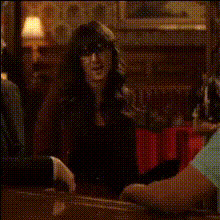
woman-dancing-in-dorm-room
Overview
Bring your videos to life with our "Women Dancing in Dorm Room" Video Face Swap template. This template transforms any video by swapping faces into an engaging scene of a woman dancing in a dorm room. Perfect for creative and fun content, this template will help you produce unique, shareable moments.
What It Does
This template utilizes advanced face swap technology to replace facial features in a video. It's designed to blend flawlessly, ensuring the new face moves naturally with the dancer's body. Enhance your creations by incorporating other effects found in our Face Swap tools, or try different settings with the AI Image Editor for additional customization.
Who It's For
Ideal for content creators, social media enthusiasts, and marketing teams, this template helps generate attention-grabbing videos. Users looking to entertain friends, build engaging ads, or add personality to corporate videos will find this tool especially useful. Pair it with tools like the AI Voice Changer to diversify your projects further.
Summary
With the "Women Dancing in Dorm Room" Video Face Swap template, you can effortlessly infuse creativity into your projects. Whether it's for personal amusement or professional output, this template opens doors to a variety of video styles. Explore combinations with compatible tools such as the Text to Video product for even more dynamic results.
How-To
Choose the Template

Customize Your Video

Generate Your Video

Use Cases
Social Media Content
- Share fun moments with friends
- Create viral challenges
Promotional Videos
- Market products with a personal touch
- Engage viewers with humorous ads
Event Highlights
- Recap events with a fun new angle
- Add personality to guest appearances
Best Practices
Choose High-Quality Images
Use clear and well-lit photos for face swapping to achieve the best results.Align Features Correctly
Fine-tune face alignment to ensure natural movements and expressions.Experiment with Lighting
Adjust video settings or use the AI Image Editor to match lighting for a seamless appearance.