werewolf-talk-to-human
Overview
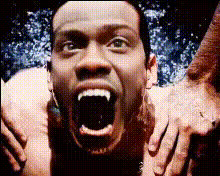
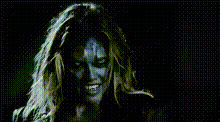
Transform into a werewolf with authenticity using our Video Face Swap template. Whether you're crafting a spooky Halloween greeting or adding a mystical element to your story, this tool makes it simple to change your human face into a talking werewolf.
What It Does
The Werewolf Talk-to-Human template swaps your face with a werewolf visage while maintaining facial expressions and voice movements. This is perfect for crafting unique fantasy videos without complex editing skills. For more creative transformations, you might explore our Face Swap and Lip Sync products that offer various other engaging effects.
Who It's For
This template is designed for creators and enthusiasts looking to enhance their video content with fantasy elements. It's an ideal tool for filmmakers, vloggers, and social media influencers aiming to engage their audience with creative storytelling. You can pair it with our AI Video Generator to craft even more personalized content.
Summary
Become a part of your own fantastical narrative with the Werewolf Talk-to-Human video template. By swapping your face with that of a werewolf, you can easily create a dynamic visual for any thematic video. Don't forget to visit our Video Face Swap page for more insights on similar transformations.
How-To
Choose Template

Customize Inputs

Generate and Download

Use Cases
Halloween Videos
- Party invitations
- Video greetings
Fantasy Storytelling
- Internet series
- Short films
Social Media Content
- TikTok challenges
- Instagram reels
Best Practices
Lighting Considerations
Ensure good lighting during video recording to improve face recognition and swap accuracy.Voice Synchronization
Utilize consistent voice tones to enhance the lip-sync accuracy with your werewolf transformation. Our AI Talking Photo can guide you for unique voice enhancements.Background Choice
Select simple backgrounds to ensure the werewolf effect is striking and clear.