two-thumbs-down-michael-scott
Overview
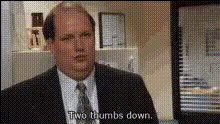
Introducing the "Two Thumbs Down Michael Scott" template, a quirky and fun way to create Video Face Swap clips featuring Michael Scott from "The Office." This template allows you to infuse your own videos with a comedic touch, perfect for lighthearted memes and engaging social content.
What It Does
This template uses advanced Video Face Swap technology to replace faces in your existing video clips with an image of Michael Scott performing his iconic double thumbs down gesture. The tool processes your video to match facial expressions and movements seamlessly, resulting in a polished, humorous output.
Who It's For
Whether you're a meme creator, social media marketer, or content enthusiast, this Video Face Swap template offers an easy way to entertain and engage audiences. It's also suitable for businesses looking to add a humorous touch to their product demo videos or marketers aiming to craft viral social media ads.
Summary
This template simplifies the process of creating entertaining videos with Michael Scott's thumbs down gesture. By leveraging the latest in AI Video Generator and face-swapping technology, you can easily customize videos that are both personal and shareable, providing ample opportunities for creative expression and audience engagement.
How-To
Choose

Customize

Generate

Use Cases
Memes and Social Posts
- Create viral memes
- Boost engagement on social media
- Entertain and delight audiences
Marketing Content
- Applicant for campaign ads
- Enhance viewer retention
- Increase shareability
Personalized Greetings
- Unique birthday wishes
- Funny greetings
- Engaging personal messages
Best Practices
Select High-Quality Input Videos
For the best results, upload videos with clear faces and good lighting to ensure accurate face swaps.Use Expressive Clips
Choose segments where the original subject displays clear expressions to maximize the comedic effect.Experiment with Video Lengths
Start with short clips for easier processing, then try longer videos as you get comfortable with the tool.