steve-carell-as-michael-scott (2)
Overview
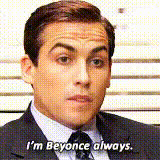
Bring the humor and iconic moments of Steve Carell as Michael Scott from "The Office" to your own videos with this Video Face Swap template. By replacing faces in your clips, you can create hilarious reimaginings or memes. Whether you're a content creator or a fan of the show, this template offers endless creative possibilities.
What It Does
This template uses AI technology to swap the face of any individual in your video with Steve Carell's face as the legendary Michael Scott character. It provides realistic blending, ensuring that emotions and expressions align perfectly with the source video. Pair it with tools like the Face Swap or the Image-to-Video for more complex edits.
Who It's For
If you're an enthusiast of comedy videos, a fan of "The Office," or a meme creator, this template is your perfect tool. It's also suited for marketers and social media managers who want to add a humorous touch to promotional content. Explore complementary products like the AI GIF Generator to enhance your creative toolkit.
Summary
With the Steve Carell as Michael Scott Face Swap Template, you can inject humor and creativity into your video projects. Using advanced AI, this template allows for seamless integration of Steve Carell's face onto any character in your video, making it a must-have for those aiming to create viral content or simply have fun. Enhance your approach by integrating other features from Text-to-Video or the AI Voice Changer.
How To
Choose the Template

Customize Your Inputs

Generate and Download

Use Cases
Social Media Content
- Create engaging memes for platforms like Instagram and TikTok.
- Promote user interactions with funny video content.
Marketing Campaigns
- Use iconic characters to boost ad engagement.
- Add humor to promotional clips for better retention.
Entertainment
- Transform favorite movie scenes with comedic swaps.
- Use for fun video remixes among friends or family.
Best Practices
Ensure Good Lighting
For the best results, use videos that have good lighting and clear facial visibility to aid the face-swapping process.Choose High-Quality Videos
Higher resolution videos yield better results as they provide clearer details for the AI to process.Preview Before Finalizing
Always preview the output to adjust and correct any anomalies before downloading your final video.