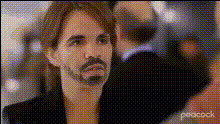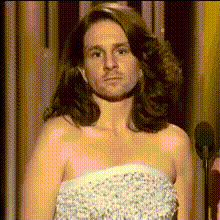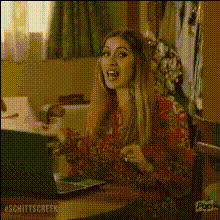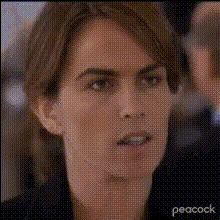
tina-fey-on-laptop
Overview
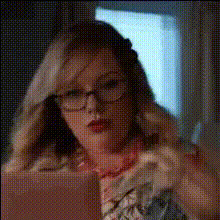
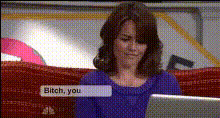
Step into the world of humor and creativity with the "Tina Fey on Laptop" video face swap template. This unique Video Face Swap tool allows you to swap your face onto Tina Fey's in a playful laptop scene, perfect for entertainment and satire.
Designed for anyone looking to add a comedic twist to their videos, this template is your gateway to creating personalized and funny content. Use it to entertain friends or engage audiences across various platforms.
What It Does
This template uses advanced Face Swap technology to replace Tina Fey's face with yours or anyone else's, creating a high-quality, realistic video scene. Whether you aim to make people laugh or make a statement, this tool provides the foundation.
By leveraging modern video enhancement techniques, it ensures the face swap looks natural, preserving the nuances of facial expressions and movements.
Who It's For
This template is designed for creators, influencers, and marketers who want to infuse humor into their content. It's ideal for social media enthusiasts, video bloggers, and meme creators who wish to generate engaging posts quickly.
Additionally, businesses looking to humanize their brand by sharing light-hearted content can utilize this to connect with audiences on platforms like Instagram or TikTok.
Summary
With the "Tina Fey on Laptop" face swap template, dive into a fun project that combines technology with creativity. This tool provides an effective means to produce humorous content that is sure to capture attention. Try it alongside other innovative tools like the AI GIF Generator or the AI Image Editor for a rounded creative experience.
How To
Choose Your Template

Customize the Scene

Generate Your Video

Use Cases
Social Media Memes
Personalized Video Messages
Influencer Content
Best Practices
Choose High-Quality Images
Ensure the image you upload is clear and well-lit for the best swapping results.Check Face Alignment
Adjust the alignment of the face in the editor to ensure a natural look in the final video.Experiment with Different Scenarios
Try swapping faces in various scenes to find the most amusing outcomes.