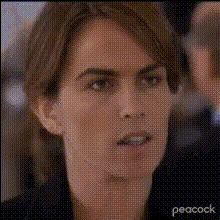
tina-fey-and-amy-poehler
Overview
Bring your video content to life with the Video Face Swap template featuring the comedic legends, Tina Fey and Amy Poehler. This template allows you to replace faces in your videos with those of Tina and Amy, adding a humorous twist that sparks joy and unpredictable fun. Perfect for creating unique content that garners attention and engagement.
What It Does
This Video Face Swap template lets you seamlessly insert the faces of Tina Fey and Amy Poehler into your video projects. Utilizing advanced AI technology, it automatically adjusts to expressions and head movements, ensuring a natural look. This tool supports popular video file formats and is fully compatible with Face Swap Video and Text to Video capabilities.
Who It's For
This template is ideal for creators looking to add a touch of humor and celebrity appeal to their projects. Whether you're a meme creator, a social media influencer, or a video marketer, this tool provides a versatile solution for engaging your audience with content that stands out.
Summary
Use the Tina Fey and Amy Poehler Video Face Swap template to create engaging and entertaining videos. From enhancing personal projects to producing professional-grade viral content, this tool provides everything you need to transform your videos.
Remember to explore other features like the AI GIF Generator and the AI Meme Generator to expand your creative toolkit.
How To Use
Choose your template

Customize your video

Generate your video

Use Cases
Social Media Content
- Meme creation
- Sketches with a twist
Marketing Campaigns
- Product promotions
- Amusing commercials
Personal Projects
- Birthday videos
- Comedy sketches
Best Practices
Lighting and Resolution
Ensure your source video is well-lit and of high resolution for the best results.Segment Selection
Choose video clips that have clear, unobstructed views of faces for accurate swaps.Check Compatibility
Verify that your video format is supported to avoid conversion issues during uploading. Popular formats like MP4 are ideal.