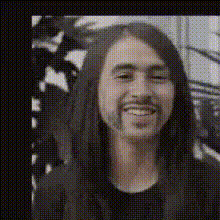
Amy Poehler Smiling Face
Overview
The Amy Poehler Smiling Face template allows you to create entertaining video content through advanced Video Face Swap technology. Ideal for social media or personal projects, this template helps you swap faces in a video with Amy Poehler’s iconic smile seamlessly. Use this tool to deliver engaging and humorous videos that capture attention.
What It Does
This template uses sophisticated algorithms to perform a Video Face Swap, incorporating Amy Poehler’s smiling face into your clips. This ensures that the face swap maintains natural movements and expressions, providing a cohesive and life-like appearance. Perfect for creating share-worthy moments or adding a touch of celebrity charm to your footage.
Who It's For
This tool is perfect for content creators, marketers, and anyone looking to enhance their video projects with a touch of celebrity flair. Whether you’re making fun content for platforms like Instagram or TikTok, or spicing up a personal project, the Amy Poehler Smiling template is your go-to solution for adding a unique touch with ease. Pair it with tools like the AI Video Generator to further enhance your creations.
Summary
The Amy Poehler Smiling Face template harnesses the technology behind Video Face Swap to enable effortless face transformations in your videos. Add humor and celebrity style to your clips when partnered with other editing tools such as the AI Image Editor. It's an effective way to create captivating content that stands out in today’s digital environment.
How-To
Choose the Template

Customize Your Settings

Generate and Download

Use Cases
Social Media Content
- Create viral-worthy videos for TikTok and Instagram
- Increase viewer interaction and shares
Personal Projects
- Make humorous family videos
- Personalize gifts with a celebrity twist
Marketing and Promotions
- Grab attention in advertising campaigns
- Make product demos more memorable
Best Practices
Choose High-Quality Source Footage
Using high-resolution videos will improve the face swap quality, making the transformation appear more realistic.Optimize Lighting Conditions
Ensure the lighting in your video is even to avoid discrepancies in the swapped face's appearance.Review and Adjust
After initial processing, review the video to tweak positioning to ensure facial expressions sync correctly.