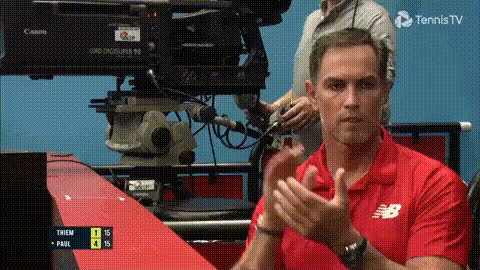
timothy-dalton-bond-clapping
Overview
Step into the charm of classic espionage with our Timothy Dalton Bond face swap template. Transform any video scene by swapping a character's face with that of Timothy Dalton's James Bond. This template brings iconic Bond moments into your creative projects, lending an air of sophistication and intrigue.
What It Does
The template utilizes advanced face swap capabilities to replace any face in your video scene with Timothy Dalton's Bond. Ideal for recreating classic spy scenes or adding a suave twist to your projects, this tool ensures high-quality facial transformations. Be sure to explore similar options such as the Face Swap and Gender Swap tools for more creative possibilities.
Who It's For
Perfect for content creators, film enthusiasts, and anyone looking to add some Bond flair to their videos. Whether you're designing a humorous social media clip, a promotional video, or a fan mashup, this template offers a quick way to transform your ideas. Our Head Swap product also provides versatile options for character transformations.
Summary
The Timothy Dalton Bond face swap template is a fun, stylish option for those looking to add a touch of cinematic class to their projects. Make your videos stand out with this innovative tool, part of our broader suite of transformation products, including Body Swap. Explore its potential and let your creativity flourish.
How-To
Choose Your Template

Customize Your Video

Generate and Download

Use Cases
Social Media Content
Film and Video Projects
Marketing and Promotions
Best Practices
Select High-Quality Video
For best results, use clear, high-resolution videos to ensure seamless face swaps.Check Lighting Conditions
Ensure consistent lighting across video scenes for realistic face swap integration.Explore Complementary Tools
Consider using the AI Image Editor to refine any subtle details post transformation.