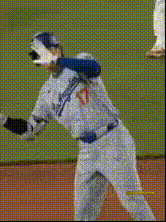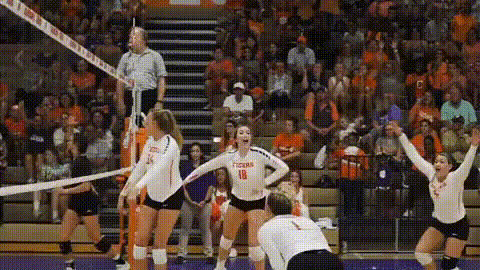
Template preview

tiger-baseball-player-celebration

face-swap

1 clip
0 uses

Any aspect ratio

Tags

transformations

Hyper-Realistic Face Swap Template for Short-Form Video

Create studio-quality face swap videos in minutes using this Magic Hour template. Ideal for TikTok, Reels, YouTube Shorts, and ad creatives, this template uses Magic Hour’s production-grade Face Swap engine to replace faces in existing clips while preserving lighting, expressions, and motion.


What This Template Is Best For

Use this template when you need:

  • Creator & influencer content at scale
    Turn a single performance into dozens of personalized versions with different faces (clients, fans, characters, or team members).

  • Performance marketing & UGC-style ads
    Rapidly test variations of the same ad with different “presenters” without re-shooting content.

  • Localization & personalization
    Swap in different actors or team members for different regions, audiences, or campaigns.

  • Concept tests & prototyping
    Validate ideas and storyboards before investing in full productions.

If you need a version that also moves lips to match new voiceover, combine this with Lip Sync or AI Talking Photo.


How This Face Swap Template Works

This template is built on Magic Hour’s Face Swap technology and the Face Swap Video workflow:

  1. Base Video
    Start from a “source” video (the performance you like: acting, timing, camera moves).

    • This template includes a pre-built base clip you can remix.
    • Or import your own footage: talking head, vlog, product demo, reaction, or cinematic b‑roll.
  2. Target Face(s)
    Provide the face you want to insert:

  3. Automatic Face Replacement
    Magic Hour tracks the original face across frames and replaces it with the new face, preserving:

    • Head pose and motion
    • Facial expressions
    • Scene lighting and shadows
    • Camera motion and depth cues
  4. Export & Post-Processing
    Download your video for social, ads, or product pages. For additional polish, you can:


How to Remix This Template in Magic Hour

You can use this template as a starting point and adapt it to your brand, channel, or campaign. To create your own version:

  1. Open the Template in Magic Hour

    • Click “Use Template” on this page (in product).
    • This loads a preconfigured Face Swap setup in the Face Swap Video flow.
  2. Swap in Your Own Base Video
    Replace the default clip with:

    • A selfie or talking-head video for personal branding
    • A product demo or unboxing for e‑commerce
    • A vertical story or skit for TikTok / Reels
      For stylized or AI-generated footage, you can first create a base clip via:
    • Image to Video – animate a single image into a motion clip
    • Text to Video – generate a synthetic scene, then apply face swap
  3. Provide Your Target Face Assets
    For best results, use:

    • Clear, front-facing photos with neutral expressions
    • Consistent lighting with the base video where possible
    • At least one high-resolution image; you can enhance it with the AI Image Upscaler

    If you don’t have photography yet, generate faces or avatars first using:

  4. Optionally Add Lip Sync or Voice

  5. Generate, Review, Iterate
    After rendering, check:

    • Identity consistency across frames
    • Blending around hairline, jawline, and neck
    • Expression and lighting realism
      Iterate by adjusting your base footage or source photos and regenerating until it matches your brand’s quality bar.

Advanced Use Cases for Creators & Teams

This face swap template is especially useful for:

  • Performance Marketing Teams

    • Spin up dozens of ad variants with different “creators” without reshoots.
    • Localize campaigns quickly by swapping in local presenters while keeping the same script and structure.
    • Combine with Lip Sync and AI Voice Generator to test messaging, tone, and persona at scale.
  • Founders & Solo Creators

    • Ship content even when you don’t want to be on camera: use a stand-in face or brand character.
    • Reuse your best-performing scripts with new appearances for A/B tests.
    • Turn static brand visuals into motion with Image to Video, then personalize via face swap.
  • Agencies & Studios

  • Character-Driven Content


Best Practices for High-Quality Face Swaps

To get stable, realistic results:

  • Use Clean, High-Resolution Source Images

  • Match Lighting & Perspective Where Possible

    • Faces lit from a similar direction as the base video blend more naturally.
    • Try to avoid strong occlusions (hands fully covering the face, heavy masks, etc.) in the base footage.
  • Refine Surrounding Visuals

  • Respect Identity & Consent

    • Only swap faces you are authorized to use (your own, collaborators, licensed actors, or synthetic identities).
    • For brand and client work, ensure contracts explicitly cover AI-generated and face-swapped media.

How This Template Fits Into Larger Pipelines

This Face Swap template works well as a building block inside more complex workflows:


Related Magic Hour Tools Worth Exploring

Depending on your project, consider combining this template with:


Getting Started

To create your own version of this Face Swap template:

  1. Open it in the Face Swap Video flow.
  2. Replace the base video with your own clip or a generated one.
  3. Add your target face images (human, avatar, or AI-generated persona).
  4. Optionally chain in Lip Sync, Image to Video, or Text to Video depending on your pipeline.
  5. Render, review, and iterate until it matches your creative or performance goals.

Use this template as a reusable building block for your content system: once you have a strong base performance, you can swap faces endlessly to explore new audiences, characters, brands, or experiments—without re-shooting a single frame.

More Like This

Insufficient credits