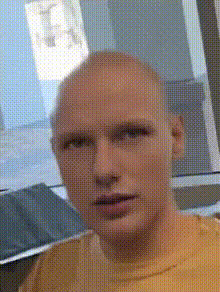
stevie-j-loves-you
Overview
Bring a fresh and playful twist to your video projects with the Stevie J Video Face Swap template. This tool allows you to swap faces in video clips with precision, offering fans of Stevie J an entertaining way to reimagine their favorite scenes or create new narratives. Explore endless possibilities for creative expression and delight your audience with this innovative transformation tool.
What It Does
The Stevie J Video Face Swap template allows users to replace faces in videos with the likeness of Stevie J. Simply select your clip and let the template intelligently handle the adjustments in facial features and expressions to fit the new look. This functionality is perfect for generating humorous content or redefining familiar scenes with a new face. It supports various video file formats, making it versatile for different creative projects.
Who It's For
This template is ideal for social media creators, fan page admins, and video editing enthusiasts who want to bring a unique flavor to their content. It's also well-suited for marketing teams seeking to create engaging promotional materials or for fans of Stevie J who want to craft personalized messages and shareable clips with their favorite personality.
Summary
The Stevie J Video Face Swap template is your gateway to transforming ordinary video clips into extraordinary creative experiences. Whether for fun, fan engagement, or professional use, this tool offers an intuitive and effective way to customize your videos. Check out more transformative options with our Video Face Swap products or explore other innovative tools like the AI Image Editor and AI GIF Generator.
How To Structure
Choose

Customize

Generate

Use Cases
Social Media Content
- Engaging story posts
- Funny clips for Reels
- Interactive challenges
Fan Community Engagement
- Fan video montages
- Personalized shout-outs
- Virtual meet-and-greet appearances
Marketing Campaigns
- Branded content
- Product announcements
- Event promotions
Best Practices
Choose Clear Footage
For best results, use high-quality video footage where faces are clearly visible and well-lit.Experiment with Settings
Try different facial alignment settings to see what combination works best for your footage.Mind the Context
Ensure the swapped face fits naturally within the scene to maintain authenticity and humor.