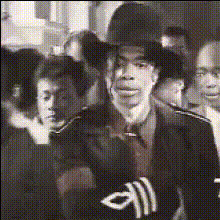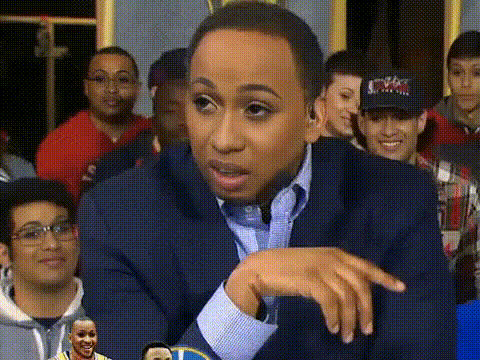
stephen-hawking-in-a-suit
face-swap
Any aspect ratio
Tags
transformationsHyper‑Real Face Swap Video Template
Transform any video into a realistic face swap in minutes. This Magic Hour template uses the same underlying technology as the core Face Swap engine, packaged into a ready‑to‑remix workflow for creators, marketers, and teams who need fast, high‑quality results.
What this template does
This template lets you:
- Swap any face in a video with another person’s face (yours, a collaborator’s, or a model you’ve generated)
- Preserve original motion, lighting, and expressions for a natural, on‑model look
- Quickly generate multiple variations for A/B testing campaigns, content localization, or creative experiments
It’s built on Magic Hour’s Face Swap Video workflow, so you get:
- High‑fidelity face replacement across frames
- Strong identity consistency (the swapped face stays stable throughout the video)
- Compatibility with other Magic Hour tools for images, GIFs, and short‑form video
How to remix this template in Magic Hour
You can create your own version of this template in a few steps:
Start from the base template
- Open the template in Magic Hour.
- Click “Remix” (or equivalent) to create your own editable version.
Choose your base video
- Use a talking‑head, reaction, or creator‑style clip for the most realistic result.
- Short vertical video works especially well for Reels, Shorts, and TikTok.
- If you don’t have footage yet, you can generate it using:
- Image to Video (animate a single image into video)
- Text to Video (generate footage from a prompt)
- Video to Video (stylize or transform an existing clip before swapping)
Add your source face
- Upload a clear reference photo or short video of the face you want to swap in.
- For best identity capture:
- Use a frontal or 3/4 view
- Ensure good lighting and minimal obstruction (no large sunglasses, heavy blur, etc.)
- If you need a new character or persona, generate one first with:
- AI Character Generator
- AI Face Generator
- Avatar Generator
- AI Anime Generator or Disney AI Generator for stylized looks
Preview and iterate
- Run a short preview first to validate identity, expressions, and lighting.
- If you’re building many variants (different faces, localizations, or personas), duplicate the template and swap only the source face each time.
Export and extend
- Export in the format that fits your distribution: social, ads, internal mocks, or product demos.
- Optionally:
- Turn your swapped video into a talking avatar with AI Talking Photo or Lip Sync
- Clean up audio or add synthetic voices with AI Voice Generator or AI Voice Cloner
- Improve visual quality with Video Upscaler
Best practices for realistic face swaps
To get results that stand up in real campaigns and client work:
Use strong source references
- High‑resolution images with neutral expressions give the model more usable facial information.
- Consider generating “ideal” reference shots with the AI Image Generator or AI Photo Generator if your real photos are low quality.
Match style and lighting when possible
- If your base video is stylized (anime, comic, painterly, etc.), generate matching faces with:
- For photoreal projects, avoid heavily filtered or over‑edited source photos.
Keep motion and framing reasonable
- Talking‑head, explainer, and interview‑style videos are ideal.
- Extreme occlusions (hands over the face, constant profile angles) can make swaps less consistent in any model.
Upscale and clean when needed
- If you’re working with old or low‑res footage, improve frames first:
- Unblur Image and AI Image Upscaler for reference photos
- Video Upscaler for the final output
- If you’re working with old or low‑res footage, improve frames first:
Practical use cases for creators and teams
Teams are using this kind of template for:
Content localization at scale
- Swap in regional brand ambassadors, founders, or localized personas while keeping the same script and motion.
- Combine with Auto Subtitle Generator for multilingual social campaigns.
Ad and creative testing
- Test different spokespeople, demographics, or character styles in the same performance.
- Pair with AI Meme Generator or Thumbnail Maker to quickly spin up creative variants.
Product explainers and demos
- Maintain a consistent host or brand character across multiple videos by swapping your face onto any performer.
- For B2B brands, generate on‑brand characters with the AI Logo Generator and AI Icon Generator for supporting visuals.
Personal branding and UGC‑style content
- Put yourself into stock footage, UGC patterns, or templates filmed by others.
- Combine with AI Headshot Generator and AI Selfie Generator to keep your visual identity consistent across channels.
Entertainment and social formats
- Create reaction videos, parodies, and skits with face swaps and animated personas.
- Turn face‑swapped loops into shareable GIFs using AI GIF Generator or Face Swap GIF.
Advanced workflows: chaining tools with this template
Because this template sits on top of Face Swap Video, you can combine it with other Magic Hour tools to build more advanced pipelines:
Design → Image → Video → Face Swap
- Generate concept art or key visuals with AI Art Generator or AI Illustration Generator.
- Turn the still into motion via Image to Video.
- Apply this face swap template to put your character or persona into that motion.
Photo → Talking Avatar → Face Swap Variants
- Start with a portrait (or create one via AI Face Editor).
- Make it speak using AI Talking Photo or Lip Sync.
- Duplicate the template and swap different faces for multiple localized presenters.
Virtual wardrobe and style tests
- Combine this template with:
- Create consistent video personas with different outfits for campaigns, catalogs, or brand lookbooks.
Related Magic Hour tools worth exploring
For teams building complete visual pipelines around face swap, these tools are often used alongside this template:
- AI Image Editor – refine faces, retouch, or adjust style before using them as sources
- Image Background Remover and AI Background Generator – design clean, branded environments for thumbnails and promos
- AI QR Code Generator – add scannable calls‑to‑action to your exported videos
- Photo Colorizer and Old Photo Restoration – modernize archival faces and footage before swapping them into new content
- Remove Object from Photo and AI Remover – clean up source imagery used in your templates
Ethical and responsible use
Face swap technology is powerful and sensitive. For professional use:
- Get explicit consent from anyone whose likeness you use
- Follow platform policies (Meta, TikTok, YouTube, etc.) on synthetic and manipulated media
- Clearly label AI‑generated or AI‑modified content when required by law or platform rules
Industry guidance from organizations like the Partnership on AI and policy work referenced by the EU AI Act and U.S. FTC emphasizes disclosure, consent, and avoiding deceptive or harmful use of synthetic media. Treat this template as a production‑grade tool, not a toy.
How to adapt this template to your workflow
Once you’ve remixed the template, you can:
- Save it as your “house style” for all face swap content
- Share it internally with your team so designers, marketers, and editors use the same pipeline
- Clone it for different personas (e.g., “US spokesperson,” “EU spokesperson,” “Anime brand avatar”) by changing only the source face and reference media
If you’re building automations, you can design this template as a repeatable building block in a larger Magic Hour workflow, then combine it with other creation flows like Animation, Video to Video, or Lip Sync for end‑to‑end, AI‑assisted video production.