paul-rudd-shocked-expression
Overview
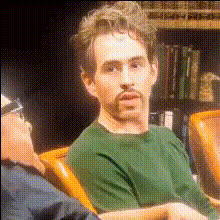
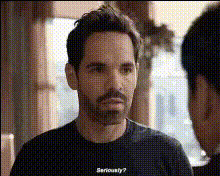
Bring an element of surprise to your video content with the Paul Rudd Shocked Expression template. This creative video tool allows you to swap faces with the iconic shocked expression of Paul Rudd, adding humor and personality to your projects. Explore the world of video transformations with this engaging template that's a hit for pranks and comedic edits.
What It Does
This template harnesses advanced Video Face Swap technology to replace faces in your video with that of Paul Rudd's famous shocked look. Whether you're working on a personal project or a social media post, this makes the transformation process simple. Upload your video, select the segment where you want the face swap to occur, and watch the seamless integration unfold.
Who It’s For
Ideal for video creators, social media enthusiasts, and anyone wanting to inject humor into their projects. It's perfect for those producing meme videos or crafting engaging social media ads. Professionals looking to enhance product demos with a creative twist will also find this tool invaluable.
Summary
Utilize the Paul Rudd Shocked Expression template to effortlessly add humor and engagement to your videos. By incorporating this recognizable expression, you can capture your viewer's attention and elevate your creative content. From AI Meme Generators to professional video projects, this template is versatile and user-friendly.
How To
Choose the Template

Customize Your Video

Generate and Export

Use Cases
Social Media Pranks
- Instagram stories
- TikTok challenges
- Facebook videos
Meme Creation
- Viral internet memes
- Inside joke videos
- Community pages
Fun Edits for Friends
- Birthday greetings
- Holiday wishes
- Anniversary messages
Best Practices
Select High-Quality Footage
Using videos with good lighting and resolution ensures a more realistic face swap effect.Choose Appropriate Scenes
Pick moments in your video where a shocked reaction is fitting for maximum comedic impact.Test Different Angles
Try out various angles of your footage to see how the expression integrates and choose the most natural one.