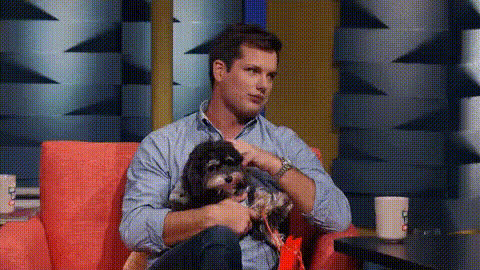
Michael Kosta With Dog
Overview
Experience instant comedy gold with the Michael Kosta With Dog Video Face Swap template. This entertaining tool lets you swap faces in videos, featuring comedian Michael Kosta and a playful dog. Ideal for adding a whimsical flair to your content, this template is designed for creators seeking to produce eye-catching and humorous videos.
What It Does
The Michael Kosta With Dog Video Face Swap allows users to replace the faces in video footage, making it look like you're interacting with Michael Kosta and his canine companion. By utilizing advanced face recognition technology, it ensures seamless integration, allowing the human and dog faces to match the new face you provide, all while maintaining natural expressions and movements.
For detailed face editing capabilities, explore our AI Face Editor, which offers even more customizations and enhancements.
Who It's For
This video face swap template is perfect for content creators aiming to infuse humor into their productions, social media influencers brainstorming their next viral hit, and marketers crafting memorable promotional content. Whether you're a seasoned video producer or a novice exploring creative possibilities, this tool offers a user-friendly experience to transform any video project.
If you're looking to focus specifically on GIFs, our Face Swap for GIFs might be the perfect fit for your needs.
Summary
With the Michael Kosta With Dog Video Face Swap, create unforgettable video content that blends humor and creativity. Whether for entertainment, marketing, or simply amusing friends, this template offers a unique way to engage with digital storytelling. Enhance your projects further by exploring tools like the Video Face Swap to expand your creative toolkit.
How To
Choose Your Template

Customize Your Inputs

Generate Your Video

Use Cases
Comedy Skits
- Surprise punchlines
- Audience engagement
Viral Content Creation
- Quick production
- Shareable format
Marketing Campaigns
- Unique brand voice
- Increased visibility
Best Practices
Select High-Quality Images
Ensure the face you upload is clear and well-lit for the best overlay results.Double-Check Alignment
Adjust the facial alignment carefully to maintain natural expressions in the video.Experiment With Angles
Test different angles and lighting conditions to see what yields the most realistic look.