Man With Dreadlocks Bandana
Overview
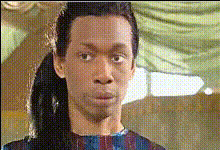
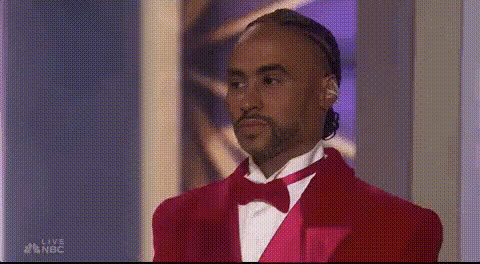
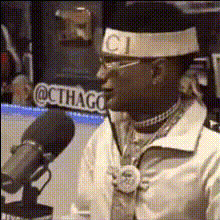
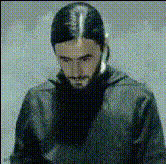
The "Man With Dreadlocks Bandana" template offers a dynamic way to personalize your Video Face Swap projects. Designed for those looking to make a striking transformation, this template allows you to swap any face with that of a man sporting iconic dreadlocks and a bandana. Ideal for creative projects, social media content, and more, this template leverages sophisticated face-swapping technology.
What It Does
This template enables you to transform an existing video by replacing the original face with a distinctive face featuring dreadlocks and a bandana. The swap is seamless, ensuring that facial expressions and movements appear natural. By utilizing the Image to Video process, this template can help you create engaging and visually interesting content.
Who It's For
Whether you're a content creator, marketer, or hobbyist looking for a fresh approach to video content, the "Man With Dreadlocks Bandana" template is perfect. It's particularly useful for those interested in creating attention-grabbing social media posts, meme videos , or personal projects. People working in advertising can also use it to bring vibrant characters into promotional materials.
Summary
The "Man With Dreadlocks Bandana" Video Face Swap template provides an easy-to-use solution for transforming videos with a unique character face. By integrating with other Magic Hour tools like the AI Image Editor, you can further personalize your projects to stand out. Use this template to add creativity and a distinctive touch to your video content.
How To
Choose Your Template

Customize Your Inputs

Generate Your Video

Use Cases
Social Media Content
- Instagram Reels
- TikTok videos
- Facebook posts
Creative Projects
- Short films
- Artistic visuals
- Storytelling videos
Memes and Humor
- Viral memes
- Comedy sketches
- Satirical videos
Advertising
- Ad campaigns
- Promotional videos
- Branded content
Best Practices
Use High-Quality Videos
Ensure the original video is high resolution with good lighting for the best face swap results.Choose Clear Faces
Select videos where the face is unobstructed and faces the camera directly to maintain expression accuracy.Experiment with Angles
Try different angles and expressions to see how well the face swap adapts, enhancing the final output quality.