Man In Black Shirt 2
Overview
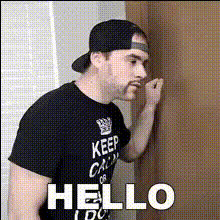
The Man in Black Shirt 2 template brings a new dimension to video editing with precise face-swapping capabilities. This Video Face Swap tool allows users to effortlessly replace faces in any video featuring a person in a black shirt. Gain a polished result that maintains the integrity of the original footage while showcasing the transformative power of AI.
What It Does
This template is part of our Face Swap family, designed specifically for swapping faces within video content. Upload your video, select the target face, and integrate the new one with high fidelity and minimal distortion. It's powered to handle complex angles and lighting, ensuring a natural look.
Who It's For
Ideal for filmmakers, content creators, and digital marketers, this template offers a robust solution for anyone looking to manipulate video content creatively. Whether for making viral memes, producing engaging social media clips, or constructing immersive narratives, the precision and ease-of-use cater to both novice and experienced users.
Summary
The Man in Black Shirt 2 template provides a streamlined experience in video editing through AI-driven face swaps. Explore other tools in our vast library, including the Text-to-Video and AI Talking Photo features, and elevate your production quality seamlessly.
How to Use
Choose Your Template

Customize the Details

Generate Your Video

Use Cases
Social Media Content Creation
- Boost engagement with humorous swaps
- Create trending content for platforms like TikTok and Instagram
Film Production and Editing
- Efficiently alter characters without reshooting
- Maintain consistency across scenes
Marketing Campaigns
- Personalize promotional videos
- Create memorable advertisements
Best Practices
Choose Well-lit Footage
Ensure that both the original and replacement faces in your video are well-lit. This helps maintain realism and blend seamlessly.Maintain High-Resolution
Use high-resolution source videos to enable the template to work with maximum detail for a convincing swap.Outline Faces Clearly
For best results, make sure the faces in your footage are clear and not obstructed by accessories or shadows.