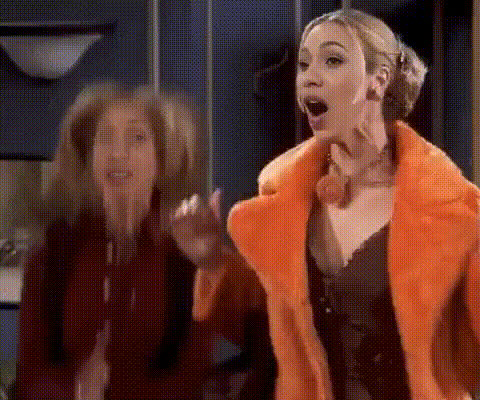
Jennifer Aniston As Rachel
Overview
Transform your video content by swapping faces with Jennifer Aniston as Rachel from the classic TV show "Friends." This Video Face Swap template allows you to insert yourself or others into iconic scenes, creating hilarious and memorable clips. Perfect for social media, this template brings a touch of nostalgia to your digital presence.
What It Does
This template enables you to apply a Video Face Swap technique with high precision. Using advanced AI, it accurately maps facial expressions and movements onto Jennifer Aniston's iconic character, Rachel. This results in seamless transitions and realistic interactions, making your content engaging and entertaining.
Who It's For
Designed for fans of "Friends," content creators, and social media influencers, this template is ideal for anyone looking to create engaging content with a nostalgic twist. It's also perfect for marketing teams who wish to leverage pop culture references to increase social media ad engagement and reach.
Summary
The "Jennifer Aniston As Rachel" face swap template is your gateway to creating classic, shareable content. With easy-to-use features and high-quality output, it's a must-have for anyone eager to infuse their videos with humor and style. Explore related tools like the Image to Video and Lip Sync for even more creative possibilities.
How-To
Choose Your Template

Customize Your Inputs

Generate Your Video

Use Cases
Social Media Content
- Create funny clips for Instagram stories.
- Engage TikTok audiences with relatable content.
Marketing Campaigns
- Boost engagement with pop culture references.
- Generate buzz with eye-catching video ads.
Fan Creations
- Reenact favorite scenes with your face as Rachel.
- Create mashups of memorable moments.
Best Practices
Ensure High-Quality Inputs
To achieve the best results, upload high-resolution videos and photos for clearer outputs.Refine Facial Mapping
Use the adjustment tools to accurately align facial features, ensuring more realistic swaps.Explore Related Products
Enhance your video further by integrating other tools like the AI Voice Changer for a complete transformation.