Jason Voorhees In Rain
Overview
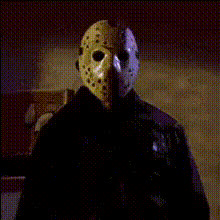
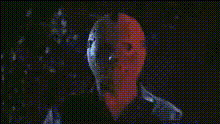
Enter a world of horror cinematic magic with the Jason Voorhees In Rain video template. Transform your footage by integrating Jason's iconic masked visage into your scenes, complete with a menacing rain setting. This template offers a chilling face swap that is ideal for horror aficionados looking to spice up their video projects with some terror.
What It Does
This Video Face Swap template allows you to replace a face in your video with that of the infamous horror character, Jason Voorhees. Whether you're working on a spooky promotional video or a personal horror short, this template makes the face swap process simple and effective. Paired with a rain effect, it creates an authentic horror atmosphere.
Who It's For
Designed for filmmakers, horror enthusiasts, and video creators, this template is perfect for anyone seeking to add a fearsome twist to their videos. It's especially useful for creators crafting content for Halloween, horror movie promotions, or any project requiring a chilling ambiance. Pair it with our AI Video Generator for expanded creative possibilities.
Summary
The Jason Voorhees In Rain template is your go-to for horror-themed video transformations. By leveraging advanced face-swap technology, it enhances your video content with a creepy and weather-infused flair. Create memorable spooky edits that captivate your audience, blending seamlessly with their horror expectations.
Explore other transformative tools like AI Image Editor and AI Voice Changer to complement your project and enrich your storytelling.
How To
Choose Your Template

Customize Your Video

Generate Your Chilling Masterpiece

Use Cases
Halloween Videos
- Add horror character transformations
- Enhance with eerie rain effects
Horror Short Films
- Increase dramatic tension
- Add iconic horror elements
Social Media Content
- Unique video effects
- Engage horror fans
Best Practices
Optimal Lighting
Ensure your original footage has consistent lighting to make the face swap appear more realistic, even underneath the rain effect.Use of Complementary Tools
Pair with tools like the AI Image Generator to create additional visual elements for a complete horror scenario.Know Your Audience
Tailor the intensity of horror elements based on the viewing audience, ensuring it aligns with their comfort and expectations.