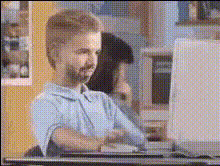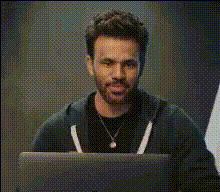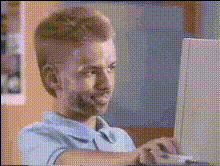
Boy Typing On Computer
Overview
Step into a new realm of creativity with the Boy Typing On Computer template, designed specifically for Video Face Swap applications. This engaging template showcases a scene of a boy typing away on a computer, ready for you to swap faces for a unique touch.
What It Does
This Video Face Swap template allows you to overlay a chosen face onto the boy in the video while he is engrossed in typing. It's a straightforward process that ensures the new facial features blend seamlessly with the original expressions and movements, making it ideal for playful edits or compelling storytelling.
Who It's For
Perfect for creators who dabble in Image to Video transformations, digital marketers looking to add a personal touch to their content, or educators aiming to captivate their audience with relatable visuals. Whether for personal projects or professional campaigns, this template is a versatile tool in your creative arsenal.
Summary
Utilize the Boy Typing On Computer template to inject personality and humor into your video content. Equipped with the advanced capabilities of AI Video Generator, this tool streamlines the face swap process, allowing for high-quality outputs that resonate with viewers.
How To
Choose the Template

Customize Your Inputs

Generate and Download

Use Cases
Creative Social Media Posts
- Create personalized videos for birthdays or milestones.
- Run promotional campaigns with a humorous twist.
Educational Content
- Use face swaps to create amusing, educational primers.
- Spice up presentations with personalized clips.
Entertainment Production
- Develop parody videos or satires.
- Add unique spins to short film projects.
Best Practices
Select a Clear Face Image
Ensure the face image you choose is of high quality and features the right lighting to match the video context.Align Facial Features
Adjust the alignment settings precisely to ensure the swapped face matches the original face size and orientation.Preview Before Finalizing
Take advantage of the preview option to make sure the face swap looks natural and meets your expectations before final download.