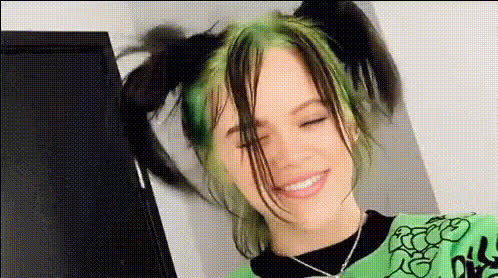
Billie Eilish Smiling 1
Overview
Experience the joy of transformation with the Billie Eilish Smiling 1 Video Face Swap template. This tool allows you to swap faces effortlessly, placing anyone's face on the smiling visage of Billie Eilish. It's designed for creating entertaining and engaging videos that are perfect for social media and beyond.
What It Does
This template leverages advanced Video Face Swap technology to exchange faces, specifically with a pre-selected image of Billie Eilish smiling. The resulting videos can be dynamic and engaging, enhancing your social media presence or adding a fun twist to your personal projects.
Discover more about similar tools on our Video Face Swap product page. For a broader range of transformations, explore our Body Swap and Lip Sync options.
Who It's For
This template is ideal for content creators, social media enthusiasts, and anyone looking to add a unique flair to their videos. Whether you are aiming to create viral content or personalize your creative projects, the Billie Eilish Smiling 1 template can be your go-to choice.
Individuals who are already using AI Image Editor or Image to Video might find this face swap tool an exciting addition to their creative toolkit.
Summary
In summary, the Billie Eilish Smiling 1 Video Face Swap template is a versatile and engaging tool for swapping faces. It's particularly suited for crafting entertaining and shareable content across various platforms. Dive into the world of transformations and explore the potential of this template.
To expand your creative capabilities, consider exploring AI GIF Generator and other transformative products available on Magic Hour.
How To
Choose the Template

Customize Your Input

Generate and Download

Use Cases
Social Media Content
Personal Projects
Marketing Materials
Best Practices
Choose High-Quality Inputs
For the best swaps, use high-resolution images or videos. This ensures clarity and smooth integration.Adjust Lighting and Angles
Ensure good lighting and proper angles in both the input and target images to ensure a natural swap effect.Experiment with Settings
Use the customization options to tweak the swap settings, achieving the most realistic or desired outcome.