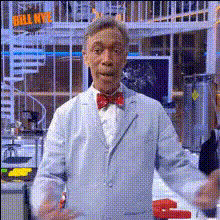
Bill Nye The Science Guy 1
Overview
The Bill Nye The Science Guy 1 template brings a touch of humor and scientific flair to your videos. Transform your videos by swapping your face with Bill Nye himself, ideal for educational content or just a good laugh. Explore the power of AI-driven video transformations with our Video Face Swap feature, and make your content stand out.
What It Does
This template allows you to perform a face swap with Bill Nye in any video. By utilizing advanced AI algorithms, it ensures realistic and engaging transformations, making it perfect for creating interesting and playful science-related content. With this tool, you can easily replace a face in a video while maintaining facial expressions and head movements. Check out the AI Video Generator for more dynamic video creation options.
Who It's For
Whether you are an educator looking to spice up your teaching materials or a content creator wanting to add a comedic twist to your videos, this template is for you. It's perfect for anyone seeking to create engaging educational videos or lighthearted internet content. If you're into meme creation, you might also find our AI Meme Generator useful for your projects.
Summary
The Bill Nye The Science Guy 1 video template is a fun and effective way to personalize your video content with a famous scientific figure's face. This template can bring an amusing element to your projects, combining education and entertainment. For further editing needs, explore the AI Image Editor to refine your visuals.
How-To
Choose Template

Customize Inputs

Generate Video

Use Cases
Educational Content
- Add humor to science lessons
- Break the ice in educational presentations
- Encourage student interaction with fun visuals
Social Media Content
- Create shareable and viral content
- Engage your audience with unique edits
- Boost your follower interactions
Corporate Training
- Maintain employee interest
- Provide memorable learning experiences
- Boost information retention
Best Practices
Select High-Resolution Footage
Use videos with high resolution for the best results in face-swapping.Adjust Lighting Conditions
Ensure similar lighting between the original and target faces for a seamless transition.Utilize Short Clips
Work with shorter video clips to maintain processing speed and efficiency.