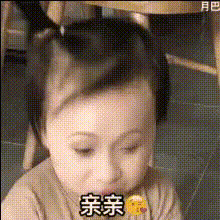
Baby Laughing Meme
Overview
Inject a dose of humor into your content with the Baby Laughing Meme template. By leveraging the power of Video Face Swap, this template allows you to swap faces into a classic baby laughing meme, creating moments that are sure to entertain. Perfect for social media shares or light-hearted events, this template makes it easy to share laughs.
What It Does
With the Baby Laughing Meme template, you can transform any video with unmatched ease. The Video Face Swap tool swaps the faces of your participants onto a laughing baby, resulting in a humorous and personalized meme. This template supports popular formats, ensuring compatibility with various editing and playback platforms.
Who It's For
This template is ideal for creators looking to add a comedic touch to their social media content. Whether you're a digital marketer, social media manager, or just looking to share a laugh with friends and family, the Baby Laughing Meme template is your go-to choice. It's a must-have for anyone wanting to boost engagement or simply make others smile.
Summary
Experience the joy of creating funny, high-impact content with the Baby Laughing Meme template. Easy to use and highly entertaining, this Video Face Swap tool provides a straightforward way to add humor to your videos. Swap faces, customize, and bring laughter to any audience.
How to Use the Template
Choose the Template

Customize Your Inputs

Generate Your Video

Use Cases
Social Media Content
- Boosts likes and shares
- Increases followers
- Great for TikTok and Instagram
Family and Friends
- Birthday shoutouts
- Get-togethers and reunions
Marketing Campaigns
- Creative promotions
- Brand engagement
Best Practices
Choose Clear Face Images
For optimal results, use clear and well-lit images for the face swap to ensure alignment and natural appearance.Adjust Framing
Take time to adjust the positions of the faces in the video to match expressions and enhance the comedic effect.Consider Context
Use this tool in humorous contexts to maximize audience appreciation and engagement.