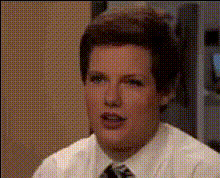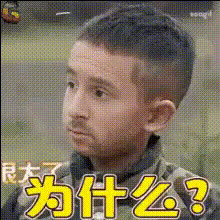
Funny Kid Face Meme 1
Overview
The Funny Kid Face Meme 1 template offers a light-hearted way to bring a touch of humor to your videos. With this Video Face Swap tool, you can transform ordinary clips by swapping faces to create funny and engaging content. Perfect for social media, the template is aimed at increasing viewer interaction and laughter.
What It Does
Funny Kid Face Meme 1 utilizes advanced face-swapping technology to create meme-worthy videos that are both amusing and delightful. By overlaying a child’s face over other characters, it generates humorous scenarios that are instantly shareable. This template can integrate seamlessly with other AI Video Generators to enhance your creative outputs.
Who It's For
This template is ideal for content creators looking to boost engagement on platforms like Instagram and TikTok. Social media managers and digital marketers can also leverage these videos to align with light-hearted brand campaigns. Whether for personal amusement or professional use, you can pair it with tools like the AI Meme Generator to expand your content repertoire.
Summary
The Funny Kid Face Meme 1 template is a straightforward yet effective way to produce humorous video content. It's particularly beneficial for those aiming to create viral content and amplify their reach on social media. Combine with Lip Sync capabilities for added comedic effect.
How To
Choose

Customize

Generate

Use Cases
Social Media Content
Marketing and Advertising
Personal Entertainment
Best Practices
Select Appropriate Videos
For the best results, choose videos with clear face visibility and minimal obstructions.Optimize for Platform
Consider the platform format you are targeting. Adjust video length and size accordingly.Enhance with Audio
Pair the video with sound effects or music for added humor and engagement. Check out the AI Voice Changer for additional options.