Dwayne Johnson Hobbs Hobbs And Shaw
- Image
- 914 × 514 px
Any aspect ratio
Overview
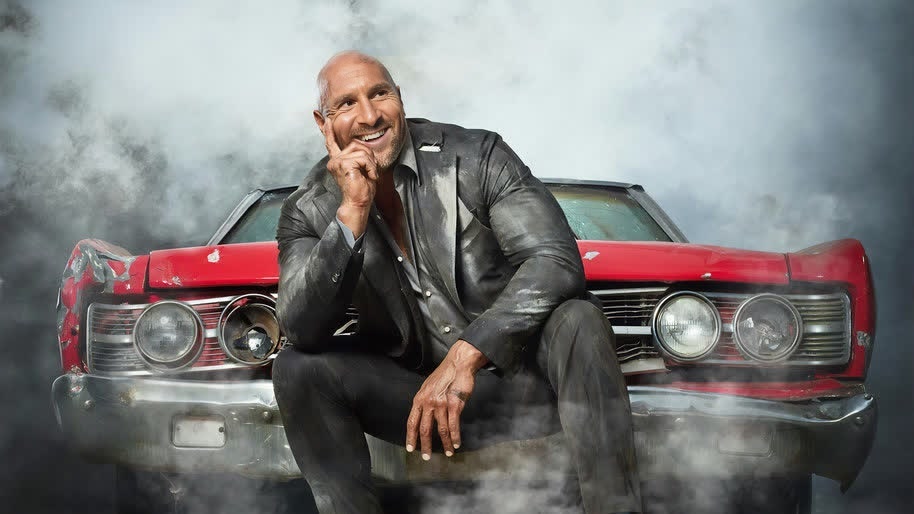
Bring an exhilarating twist to your videos with the Dwayne Johnson Hobbs Hobbs And Shaw video face swap template. Transform your clips by integrating Dwayne Johnson's iconic portrayal of Hobbs, injecting the thrill of the blockbuster into your footage.
What It Does
This template uses advanced Video Face Swap technology, allowing you to replace any face in your video with Hobbs from the movie Hobbs and Shaw. Perfect for adding an action-packed element to any production, this template captures the charisma and intensity of the character.
Who It's For
This template is ideal for filmmakers, content creators, and fans of the Fast & Furious franchise looking to create dynamic, engaging content. Whether you're enhancing a scene for your next project or just having fun with friends, this tool offers quick and impressive results. For more creative transformations, explore the AI Clothes Changer to diversify appearances in your video.
Summary
The Dwayne Johnson Hobbs video face swap template is your bridge to integrating Hollywood-level effects into your projects. Easy to use and versatile, it expands your creative horizons. Pair this with our AI Video Generator to bring additional layers of creativity and polish to your video outputs.
How To
Choose Your Template

Customize Your Video

Generate and Download

Use Cases
Movie Parody Creations
- Create fun reimagined scenes
- Amplify comedic elements
Digital Marketing Material
- Enhance ad campaigns
- Draw more viewers to content
Fan-Driven Content
- Boost fan engagement
- Create personalized scenarios
Best Practices
Choose High-Quality Source Videos
Use videos with high resolution to ensure the face swap looks realistic and integrated.Maintain Consistent Lighting
Ensure the lighting in your video matches the lighting in the Hobbs character footage for seamless blending.Focus on Clear Angles
Faces should be front-facing and unobstructed for the best swapping results.
FAQs
More Like This