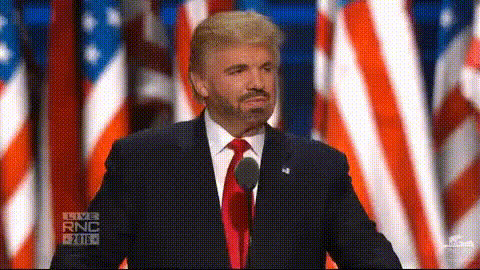
Trump Speech CPAC Remarks
- Video
- 16 sec
Any aspect ratio
Overview
The Trump Speech CPAC Remarks template allows you to create engaging political videos using advanced AI Talking Photo technology. This template is perfect for turning still images into dynamic video content that mimics spoken remarks from historical speeches.
What It Does
With this template, you can animate still images of subjects, like political figures, to deliver scripted speeches. The AI powers a realistic lip-syncing effect, making your images come to life in video form. Explore how it compares with the Lip Sync tool to enhance any video project.
Who It's For
This template is ideal for content creators working on political campaigns, educators developing interactive history lessons, and media enthusiasts crafting engaging online content. It pairs well with the AI Voice Changer to broaden your creative potential.
Summary
Designed to bring political speeches to a new audience, the Trump Speech CPAC Remarks template offers a powerful way to engage and inform through realism. When integrated with other tools like the AI Image Editor, it's a comprehensive solution for video creation.
How To
Choose the Template

Customize Your Input

Generate Your Video

Use Cases
Political Campaigns
- Drive engagement with animated historical figures
- Enhance message delivery
Education and Training
- Bring history to life in the classroom
- Deliver impactful presentations
Social Media Content
- Engage audiences with dynamic visuals
- Boost sharing with unique video formats
Best Practices
Select High-Quality Images
Use clear, high-resolution images for the best lip-sync and facial animations.Refine Text for Clarity
Keep speech text concise for smoother animations and easy viewer comprehension.Test Different Voices
Experiment with the AI Voice Changer to find the most convincing voice for your video.