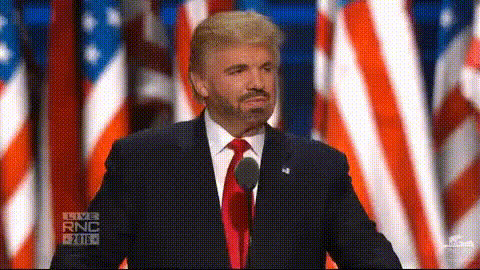
Donald Trump Speaking At Rnc
Overview
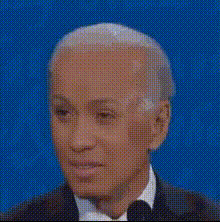
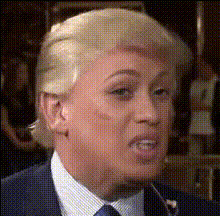
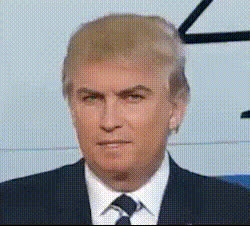
Bring a new dimension to your video content with the Donald Trump Speaking At RNC Video Face Swap template. This tool allows you to merge your subject’s face with a dynamic clip of Donald Trump at the Republican National Convention. Perfect for creating engaging and shareable videos that capture the essence of the event and your audience's attention.
What It Does
The Video Face Swap template overlays the facial features of your chosen individual onto a video of Donald Trump speaking at the RNC. Using advanced AI technology, the tool maps expressions and movements to ensure a natural and realistic integration. This custom content generator can be used for humorous takes, political satire, or unique commentary pieces.
For enhanced results, consider pairing it with tools like the AI Image Editor for perfecting facial images before swapping, or the AI Voice Changer to add custom voiceovers to your video.
Who It's For
This tool caters to content creators, marketing agencies, and social media managers looking to produce viral videos with a political twist. It’s a strong choice for anyone in the compliance training sector aiming to engage participants through humor, or for content producers who specialize in social media ads and want to stand out.
Summary
The Donald Trump Speaking At RNC Video Face Swap template offers a unique way to transform your videos by integrating a well-known political figure into your content. By leveraging Magic Hour's state-of-the-art technology, you can ensure high-quality and engaging video results.
Explore other video-enhancing options like our AI Video Generator for more creative possibilities.
How To
Choose the Template

Customize Your Video

Generate Your Video

Use Cases
Social Media Engagement
- Satirical sketches
- Commentary videos
- Promotions
Entertainment Content
- Comedy specials
- Parody channels
- Viral challenges
Educational Materials
- History lessons
- Political science classes
- Public speaking workshops
Best Practices
Ensure Good Image Quality
Use high-resolution images for the face to achieve a more realistic swap.Leverage Complementary Tools
Pair with the AI Voice Changer for cohesive video productions.Test Different Angles
Experiment with different facial angles for the best visual effect.