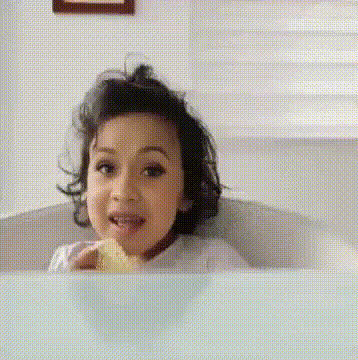
Dafina Zeqiri - HAPPY BIRTHDAY

face-swap

1 clip
21 uses

Any aspect ratio

Dafina Zeqiri – “HAPPY BIRTHDAY” AI Face Swap Video Template

Overview

Turn a favorite music moment into a personalized birthday video starring the person you’re celebrating. This “Dafina Zeqiri – HAPPY BIRTHDAY” template uses Magic Hour’s AI Face Swap to place your friend’s or loved one’s face into the video, automatically matching expressions, angle, and lighting for a realistic result.

You can use this template directly, or remix it into your own version inside the Face Swap Video creator and build an entire birthday campaign in minutes.

What You Can Do With This Template

  • Personalized birthday “music video” – Put the birthday person’s face into Dafina Zeqiri’s “HAPPY BIRTHDAY”-style edit for a playful, shareable greeting.
  • Social-ready clips – Generate vertical or horizontal birthday clips optimized for Instagram, TikTok, YouTube Shorts, or Stories.
  • Multi-version campaigns – Quickly create variations for different friends, client segments, or community members, all based on the same core template.
  • Branded birthday content – Combine face swaps with your own brand intro/outro, logo animations, or overlays created elsewhere, then assemble them into a polished video.

Key Features

  • AI Face Swap for video – Built on Magic Hour’s dedicated AI Face Swap engine, this template automatically tracks facial motion and blends your source face into the target video.
  • Realistic, seamless results – The model handles changes in pose, lighting, and expressions to keep the swap consistent across frames, so it looks like the birthday person is actually in the video.
  • Works with your own footage – Remix the template by replacing the base clip with content you create yourself, using the Face Swap Video tool.
  • Supports photos and multiple faces – Upload face photos of one person (for a classic greeting) or multiple people (for group tributes or team shout‑outs).
  • Web-based workflow – Everything runs in the browser; no local installs, no GPU setup.
  • High-quality output – Export high-resolution video suitable for social, email campaigns, or embedding on landing pages.

How to Use This Template in Magic Hour

  1. Start from the Face Swap Video creator
    Open Face Swap Video. Choose the “Dafina Zeqiri – HAPPY BIRTHDAY” template from the template library as your starting point.
  2. Add or replace the base video
    Use the preloaded music-style birthday edit, or swap in your own birthday clip, performance, or B‑roll to create a new variant while keeping the same face-swap structure.
  3. Upload face photos
    Add one or more clear, front-facing photos of the person (or people) you want to appear in the video. For best results, use images with:
    • Good lighting and minimal shadows
    • Unobstructed faces (no large sunglasses, masks, etc.)
    • Neutral or natural expressions
  4. Generate the face swap
    Magic Hour automatically maps the uploaded faces to the subject in the template video and generates a full AI face swap sequence. Review the preview and, if needed, try an alternative source photo for a different look.
  5. Export and share
    Download the finished video and share it via messaging apps, email, social platforms, or embed it on a landing page as a personalized birthday touchpoint.

How to Remix This Template for Your Own Brand or Use Case

This template is meant to be a starting point. Here are practical ways to customize and scale it:

  • Swap in different base videos – Use the same face-swap structure with any other birthday performance, lip-sync, or behind-the-scenes clip by replacing the video inside Face Swap Video.
  • Create talking birthday messages – Combine this with AI Talking Photo or Lip Sync to generate talking-head birthday intros, then cut to the Dafina-style music section.
  • Turn still images into motion – If you only have photos of the birthday person, first create a motion clip using Image to Video or Video to Video, and then apply face swap on top for stylistic variations.
  • Make on-brand character versions – Design a stylized avatar of the birthday person with tools like Avatar Generator or Animated Characters Generator, then build a separate “cartoon” or “anime” birthday edit using AI Anime Generator or AI Art Generator.
  • Localize for different audiences – Pair the visual template with localized voiceovers or greetings using AI Voice Generator or AI Voice Cloner to create region-specific birthday campaigns at scale.

Advanced Ideas for Creators, Marketers & Founders

  • Automated birthday funnels – Use the template as the core asset for CRM- or product-triggered birthday flows. Combine with a personalization layer that inserts the user’s face into the video, then deliver the exported clip via email or in-app messages.
  • Community & fan engagement – Artists, labels, and creators can offer “official birthday shout-outs” where fans submit a photo and receive a version of this video starring themselves.
  • Creator merch & upsells – Bundle personalized birthday videos with digital products, memberships, or Patreon tiers as a higher-value perk.
  • Agency workflows – Social and growth agencies can turn this template into a reusable asset for multiple clients, swapping faces and branding to deliver fast, high-margin custom birthday campaigns.

Complementary Magic Hour Tools

Power users often combine this template with other Magic Hour tools for more polished birthday experiences:

Why Use Magic Hour for Face-Swap Birthday Videos?

  • Production-grade AI – Built for creators and teams who need realistic face swaps that stand up on social platforms, brand channels, and campaigns.
  • Template-first workflow – Start from proven templates like this “Dafina Zeqiri – HAPPY BIRTHDAY” project instead of building from scratch, then remix for each recipient or client.
  • Fast iteration – Generate multiple variants in parallel to A/B test intros, styles, and recipients without redoing the full edit.
  • Fully online – Accessible from any modern browser; no special hardware or local rendering pipeline required.

Get Started

Use the “Dafina Zeqiri – HAPPY BIRTHDAY” template as-is for a fast, personalized greeting, or open it in Face Swap Video and remix it into your own branded birthday experience. Upload a clear face photo, generate the swap, export, and you have a unique, memorable birthday video ready to ship in minutes.

More Like This