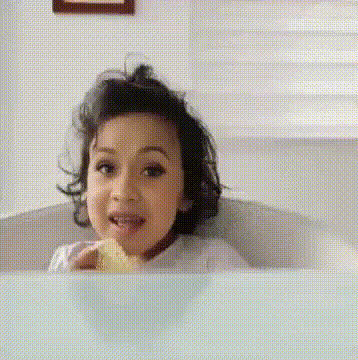
Feliz Cumpleanos

face-swap

1 clip
7 uses

Any aspect ratio

Feliz Cumpleaños: AI Face Swap Birthday Video Template

Overview

Feliz Cumpleaños is an AI-powered birthday video template built on Magic Hour’s Face Swap Video tools. It lets you drop your own (or your friends’) faces into a vibrant, pre-animated birthday party scene in a few minutes—no editing skills, no complex timeline, no plugins.

Use it to create highly shareable birthday videos for:

  • Friends and family celebrations
  • Social media greetings (Instagram, TikTok, WhatsApp, Stories)
  • Client or team birthday shoutouts
  • Newsletters, community groups, or brand campaigns

What This Template Does

This template combines:

  • Pre-built birthday scenes – Balloons, confetti, cake, dancing, and party backgrounds designed to read well on mobile and social feeds.
  • AI face swapping – Powered by Magic Hour’s Face Swap engine, which detects and replaces faces in video frames while preserving lighting, pose, and expression.
  • Personalized greetings – You add the faces and message; the template handles the visuals, transitions, and pacing.

How Face Swap Works (High-Level)

Under the hood, Face Swap uses modern computer vision and generative AI techniques:

  • Face detection & alignment – The model detects facial landmarks (eyes, nose, mouth, jawline) and aligns your input face to match the pose and angle in the target clip.
  • Identity transfer – A generative model reconstructs the target frame with the new face while preserving skin tone, lighting, and expression as much as possible.
  • Frame-by-frame consistency – The system maintains temporal coherence so expressions and movement look smooth across the video.

The result is a birthday video where it genuinely looks like the birthday person is part of the animated party scene, not just pasted on top.

How to Remix This Template in Magic Hour

You can treat Feliz Cumpleaños as a starting point and quickly create your own variations. Here’s a practical workflow you can follow inside Magic Hour:

  1. Start from Face Swap Video
    Go to Face Swap Video and upload or select the Feliz Cumpleaños base clip (or any similar party clip you’ve previously exported).
  2. Upload your face images
    Use clear, front-facing photos of the people you want in the video. Good lighting and minimal occlusions (no heavy sunglasses, etc.) typically improve AI results.
  3. Assign faces to characters
    Map each person’s photo to the character you want them to replace in the birthday scene so the right person appears in the right place.
  4. Add or edit the birthday message
    Overlay your “Feliz Cumpleaños” greeting, name, age, or in-jokes as text in your editing tool of choice, or combine with Magic Hour’s Text-to-Video or AI Talking Photo products to build a slightly longer narrative.
  5. Export and repurpose
    Once generated, you can resize or enhance with tools like Video Upscaler or create shorter looping versions using AI GIF Generator for memes and stories.

Advanced Remix Ideas for Creators & Marketers

If you’re building campaigns, content series, or productized birthday greetings, you can go beyond the default template:

Key Features of the Feliz Cumpleaños Template

  • Festive, ready-made party scenes – Confetti, balloons, cake, dancing, and bright color palettes designed for birthday content.
  • High-quality AI face swapping – Built on Magic Hour’s production-grade AI Face Editor and AI Face Generator technologies.
  • Personalization at scale – Swap faces for different people while reusing the same core video, ideal for agencies, SaaS onboarding gifts, or community birthday programs.
  • Cross-platform ready – Works well for WhatsApp shares, Instagram Reels, TikToks, Stories, email embeds, or landing pages.

Best Practices for Strong Results

  • Use high-quality source photos – Clear, well-lit, front-facing images generally yield better swaps and more natural expressions.
  • Match vibe and audience – For kids, consider more cartoonish or fantasy scenes built with the Disney AI Generator or Pokémon Generator. For corporate audiences, keep visuals clean and minimal.
  • Respect consent and policies – Only swap faces for people who are comfortable being featured, and avoid misleading or harmful use cases.

Who This Template Is For

  • Creators & influencers – Ship birthday content quickly that still feels hyper-personal and on-brand.
  • Founders & marketers – Automate birthday touchpoints for customers, partners, or team members with reusable, AI-personalized video assets.
  • Agencies & studios – Offer “AI birthday video packs” or subscription-based greetings by reusing the Feliz Cumpleaños base and swapping faces for each client.

Related Magic Hour Tools for Birthday Content

To build a richer birthday content stack around this template, explore:

  • AI Selfie Generator – Create fun stylized selfies of the birthday person to feature before or after the face swap segment.
  • AI Headshot Generator – Generate clean, professional portraits for “before/after” birthday transformations.
  • AI Talking Photo – Make a still birthday photo “speak” a custom message.
  • Lip Sync – Turn the birthday message into a lip-synced performance using the recipient’s face.
  • AI Outfit Generator or AI Clothes Changer – Give the birthday character fun themed outfits (formal, fantasy, retro, etc.).

Why Use Magic Hour for Birthday Face Swap Videos?

  • Speed – Go from idea to personalized video in minutes instead of hours in a full editor.
  • Consistency – Maintain a recognizable “birthday look” across hundreds of videos while just changing the faces and text.
  • Flexibility – Combine with AI Image Editor, Image Background Remover, or Remove Object from Photo to clean or adjust assets before swapping.

Get Started

Open the Face Swap Video creator, load or import your Feliz Cumpleaños base clip, upload your faces, and export a ready-to-share birthday greeting. From there, you can remix, reshoot, or extend the concept using Magic Hour’s broader suite of AI video and image tools.

More Like This