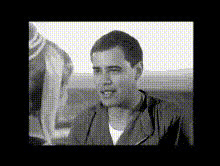
Black Widow Flip

face-swap

1 clip
11 uses

Any aspect ratio

Tags

black widow

Black Widow Flip – Face Swap Video Template

Turn Yourself Into the Hero of the Scene

The Black Widow Flip template lets you drop your own face (or a friend’s) into a cinematic spy-style action shot in a few clicks. Built on Magic Hour’s AI Face Swap technology, this template is ideal for:

  • Creators making short-form TikTok, Reels, or YouTube Shorts content
  • Cosplayers and fandom editors who want to “be” the character
  • Marketers and startup teams prototyping concept videos fast
  • Developers testing AI video workflows and content pipelines

Use it as-is, or remix it into your own custom Face Swap Video template inside Magic Hour.

What Magic Hour Face Swap Actually Does

Magic Hour’s Face Swap uses generative AI to detect and track faces frame by frame, then realistically replace them with a new identity while preserving:

  • Expressions – smiles, frowns, surprise, intensity
  • Head movement and angle – turns, tilts, flips, and spins
  • Lighting and shadows – so the new face fits the scene
  • Skin tone and texture consistency – for fewer uncanny artifacts

You upload a source face (your selfie, a cast member, or a generated character) and apply it to the character in the Black Widow Flip clip. The system handles tracking, blending, and temporal consistency automatically.

What You Can Do With the Black Widow Flip Template

  • Action-style intros & hooks – Open your video with a high-impact flip shot featuring your own face.
  • Cosplay & fandom edits – Drop yourself into a spy, superhero, or combat sequence for TikTok, Instagram, or YouTube edits.
  • Campaign concepts & storyboards – Rapidly visualize how a scene would look with different talent, characters, or avatars.
  • Team & community content – Swap in different team members or community leaders to localize the same scene across regions.

How to Remix This Template in Magic Hour

You don’t need to edit timelines manually. You can create your own version of Black Widow Flip by starting from Magic Hour’s Face Swap Video templates and then:

  1. Open a Face Swap Video template
    Go to Face Swap Video and pick a clip with similar motion (jump, flip, or fast camera move). This is your base for a “Black Widow–style” sequence.
  2. Add your reference face
    Use a clear, front-facing photo of yourself or your talent. For best results:
    • Sharp image (not blurry, no heavy filters)
    • Good lighting and neutral expression
    • No major obstructions (no huge sunglasses, masks, etc.)
  3. Apply Face Swap to the action clip
    Assign your face to the character in the clip. Magic Hour will track the face across the flip and motion automatically so you don’t have to keyframe or mask anything.
  4. Refine the surrounding visuals
    To build a complete sequence around the flip, you can chain other Magic Hour tools:
    • Use Video-to-Video to restyle the scene (e.g., darker espionage look, neon cyberpunk, comic-book style).
    • Use Video Upscaler if you need sharper footage for export to larger screens.
    • Use Auto Subtitle Generator to add quick captions if you’re turning it into a social ad or short.
  5. Export and publish
    Download your finished shot and drop it straight into your TikTok, Reels, or YouTube workflow. Many creators use it as an opening three-second hook, then cut to talking head or product demo footage.

Advanced Ideas for Creators, Marketers, and Builders

Because Black Widow Flip is built on the same core Face Swap engine, you can integrate it into more complex AI video pipelines:

Quality Tips for More Realistic Face Swaps

  • Match pose and angle – If your character in the clip is flipping, a reference face that’s front-facing but neutral usually works best; avoid extreme side profiles.
  • Use clean, high-res images – If your face photo is low-resolution, first enhance it with the AI Image Upscaler or fix blur with Unblur Image.
  • Stay within ethical / legal boundaries – Only swap faces you have rights to use and avoid impersonation or misleading content in line with platform and local policies.

Related Magic Hour Tools You Can Combine With This Template

Lore and Creative Inspiration

The Black Widow Flip template is inspired by high-agility, intelligence-driven espionage heroes in modern action cinema—stealth, acrobatics, and tactical combat in a single move. The goal is not to replicate any single franchise, but to give you a versatile, cinematic action beat you can adapt to:

  • Spy thrillers and covert-ops storylines
  • Superhero and vigilante edits
  • Game trailers, fan trailers, and roleplay content
  • Launch videos and teasers for “stealthy” product drops

Community Use Cases

Creators and teams typically use a Black Widow–style flip shot as:

  • A cold open – 1–3 seconds of intense action to prevent scroll-by on TikTok, Reels, or YouTube Shorts.
  • A reveal – Transition from a normal scene into the action shot, revealing a new identity, outfit, or product.
  • A recurring motif – A signature flip featuring your brand’s mascot or founder across multiple campaigns.

You can browse similar concepts and iterate using Magic Hour’s other cinematic templates under Video-to-Video and Animation.

Why This Template Works for Serious Creators and Teams

  • High impact per second – Short, visually dense, and ideal for hooks and ads where attention is scarce.
  • Low setup cost – No stunt team, no studio, no complex compositing workflows—just upload a face and remix.
  • Modular in pipelines – Easy to drop into existing edits, marketing flows, or AI content generation stacks.

Start experimenting with Black Widow–style action by opening a Face Swap Video template, swapping in your own face, and then combining it with other Magic Hour tools to build a complete, on-brand spy sequence around it.

More Like This