Donald Trump Home Alone
face-swap
Any aspect ratio
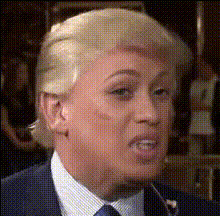
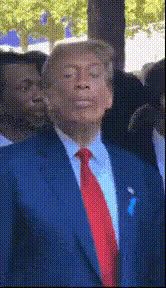
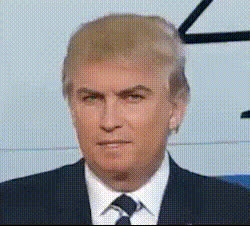
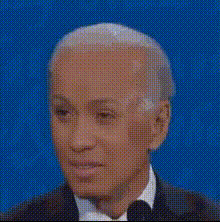
Donald Trump “Home Alone” AI Face Swap Video Template
Turn an Iconic Cameo into a High-Impact AI Meme
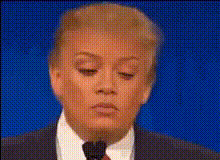
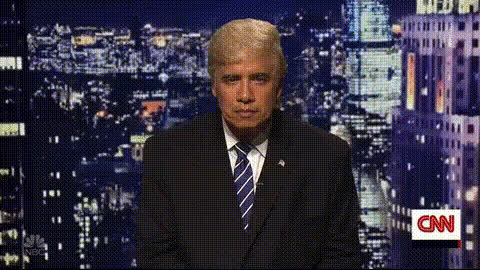
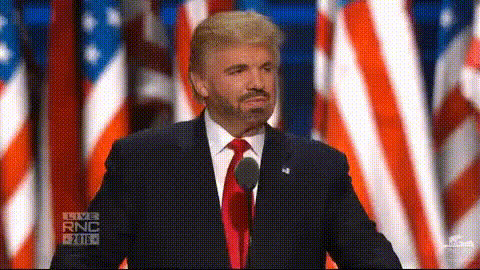
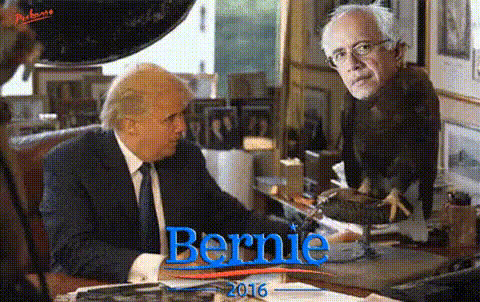
This template shows how to turn Donald Trump’s brief cameo in Home Alone 2: Lost in New York into a fully remixed AI meme using Magic Hour’s Face Swap Video tools. Use it as a starting point to build your own viral clips, social campaigns, or culture-savvy content — without needing editing experience.
What This Template Does
The “Donald Trump Home Alone” template demonstrates how to:
- Swap Donald Trump’s face into (or out of) the classic Plaza Hotel scene from Home Alone 2
- Remix existing footage into short, meme-ready videos for social media
- Experiment with political or pop‑culture satire while keeping production time low
Under the hood, it uses Magic Hour’s AI-powered Face Swap engine to track expressions, lighting, and head movement so the new face looks naturally integrated into the shot.
Quick Background: Trump’s Home Alone 2 Cameo
In the 1992 film Home Alone 2: Lost in New York, Kevin McCallister (Macaulay Culkin) wanders into the Plaza Hotel. In a brief but now-famous cameo, Donald Trump appears as himself and directs Kevin down the hallway. Over time, that 5-second appearance has turned into a recurring internet reference:
- Clips of the cameo are regularly shared on Twitter/X, TikTok, and YouTube as memes
- There’s ongoing discussion about how and why the cameo was negotiated, often cited in articles and interviews with the film’s director
- Fans have posted edits that remove Trump from the scene or replace him with other celebrities or characters
This template taps into that cultural context and gives you a production-ready way to build your own versions using AI.
How to Remix This Template in Magic Hour
You can recreate or customize this concept entirely inside Magic Hour. Here’s a practical workflow you can adapt for your own use case.
1. Start from Face Swap Video
Open Face Swap Video. This is the core tool used by the template — it lets you upload a source video and a face image, then automatically generates a new video with the swapped face.
2. Choose or Import Your Base Clip
- Use a clip inspired by the hotel-lobby scene from Home Alone 2 (record your own or use licensed footage).
- For more stylized variations (e.g., animated or cartoon versions of the scene), you can first create or transform footage with:
- Video to Video for stylizing or reimagining an existing shot
- Image to Video to turn a static “hotel lobby” image into a short animated clip
3. Add the Face You Want to Swap
- Upload the face you want in the scene (for example, Donald Trump, another politician, a fictional character, or even yourself).
- Use a clear, front-facing photo with good lighting for the best results.
Magic Hour’s AI Face Editor and AI Face Generator can also help you create or refine a character face before swapping it into the video.
4. Generate, Review, and Iterate
- Run the face swap and preview the output.
- Check expressions, eye line, and lighting. If needed, try a different source image for the face or a different base clip.
- Trim, loop, or enhance your video further with tools like:
- Video Upscaler for higher resolution output
- Auto Subtitle Generator for captions and accessibility
5. Optional: Add Voice, Lip Sync, or Animation
To turn the remixed cameo into a talking, share-ready character:
- Use Lip Sync to match the character’s mouth movements to custom audio (e.g., a meme line, podcast, or ad script).
- Combine with AI Voice Generator or AI Voice Cloner to create or clone a voice for the character.
- For more stylized or cartoon remixes, explore:
- Animation for animated sequences
- AI Anime Generator, Disney AI Generator, or Animated Characters Generator for specific visual styles
Use Cases for Creators, Marketers, and Builders
- Social content & memes: Rapidly test different faces in the same Home Alone-style scene (founders, influencers, politicians, fictional characters) to see what resonates.
- Commentary & explainers: Use the cameo as a visual metaphor in videos about media, politics, or internet culture, then customize the face and voice to suit your narrative.
- Brand storytelling: Swap in your founder or mascot and recreate an “iconic movie moment” to announce product launches, milestones, or year-in-review content.
- Productized services: Agencies and creators can package “AI movie cameo” videos as a repeatable offering using the same core workflow.
Related Magic Hour Tools to Extend This Template
For more advanced or adjacent remixes, you can combine this template with:
- AI Image Editor and Image Background Remover to mock up new environments (different hotels, airports, fantasy lobbies).
- AI Art Generator or Comic Book Generator to turn your “Trump in Home Alone” concept into posters, comics, or storyboards.
- Thumbnail Maker and Album Cover Generator to create high-conversion thumbnails for YouTube, TikTok, or Reels.
- Face Swap GIF and AI GIF Generator to export short reaction GIFs from your clip.
- AI Meme Generator to layer on captions and turn your video frames into static or animated memes.
Ethical and Legal Considerations
AI face swap content intersects with privacy, IP, and platform policies. Before publishing:
- Review the terms of service of any platform where you upload or distribute your videos.
- Be transparent when using synthetic or edited media, especially in news, political, or commercial contexts.
- Respect copyright and licensing restrictions on the footage and images you use.
Magic Hour is a creative tool; how you use it should align with applicable laws and with the expectations of your audience or customers.
How to Create Your Own Version Now
- Open Face Swap Video.
- Upload a short “hotel lobby” or “hallway” clip inspired by the Home Alone 2 scene.
- Upload the face you want to insert (Trump, a character, yourself, or anyone else you have the right to use).
- Generate the face-swapped video, then refine it using tools like Lip Sync, Video Upscaler, and Auto Subtitle Generator.
- Export clips for TikTok, Reels, Shorts, X, or your campaign landing page.
Use this template as a blueprint — swap the character, change the scene, or shift the tone from comedic to serious. The same pipeline scales from one-off memes to repeatable, on-brand AI video content.