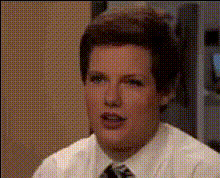
Tay Trump Meme

face-swap

1 clip
5 uses

Any aspect ratio

Tay Trump Meme Video Template (Face Swap)

Create a perfectly-timed, surreal “Tay Trump” meme in minutes using Magic Hour’s AI Face Swap tools. This template lets you blend Tay Zonday’s iconic internet persona with Donald Trump’s instantly recognizable look to produce high‑impact, shareable meme videos for social, marketing, and experiments in political or culture commentary.

What This Template Does

This template uses Magic Hour’s AI face swap engine to overlay Tay Zonday’s face onto Donald Trump (or the other way around) in a video clip. The result is a hyper‑memeable mashup you can repurpose for:

  • Short‑form content on TikTok, Reels, YouTube Shorts, X, and Reddit
  • Remixing classic memes like “Chocolate Rain” with political speech footage
  • Satire, commentary, or parody in newsletters, podcasts, and creator channels
  • Fast A/B testing of hooks and visual jokes in performance marketing

Face Swap, Explained

AI face swap uses deep learning–based facial recognition and image synthesis to map one face onto another in a video frame by frame. Modern systems track facial landmarks (eyes, nose, mouth, jawline) and lighting conditions to generate a realistic replacement face that moves with the subject’s expressions and head position.

In this template, that means you can:

  • Replace Trump’s face with Tay Zonday’s on any public‑domain or licensed footage you upload
  • Put Trump’s face onto Tay Zonday in “Chocolate Rain” style performances you record yourself
  • Re‑use the template with any other faces by simply swapping source images or videos

For more granular control and other formats, explore:

The Internet Lore: Tay Zonday & Donald Trump

  • Tay Zonday – Best known for the viral 2007 YouTube song “Chocolate Rain,” Tay Zonday (Adam Bahner) became one of the early faces of internet culture. The video has been widely cited in internet history write‑ups and meme studies as a defining “Web 2.0” moment.
  • Donald Trump – As the 45th U.S. President and long‑time media figure, Trump has been central to thousands of memes, deepfakes, and parodies, from Saturday Night Live sketches to political TikTok edits.

Combining them taps directly into two huge, well‑understood meme universes: early YouTube nostalgia and modern political meme culture. That’s why the “Tay Trump” format tends to hook viewers quickly—they recognize both references in a single frame.

How to Remix This Template in Magic Hour

You can clone the “Tay Trump Meme” format or adapt it for any two public figures, characters, or even your own face. A typical remix flow looks like:

  1. Start with Face Swap Video
    Go to the Face Swap Video tool. This is where you’ll build or customize versions of this template.
  2. Upload your base video
    Choose the “target” video (e.g., a Trump speech, a press conference, a talking‑head clip you shot yourself, or licensed stock footage). The clearer the face, the better the result.
  3. Add your source face
    Provide a clean, front‑facing image or video of Tay Zonday (or any other person you’re using). You can:
  4. Run the swap
    Let Magic Hour’s AI handle detection, tracking, and blending to overlay Tay’s face onto Trump (or vice versa).
  5. Polish and export
    Once the swap looks good, export your final meme video for the platforms you care about, or send it into other Magic Hour tools:

Advanced Remix Ideas for Creators & Marketers

Once you’ve built a working “Tay Trump” meme, you can systematize and scale the format:

  • Multi‑format content stack
    • Use Lip Sync to have Tay‑Trump “sing” trending audio or your own brand jingle.
    • Turn a static meme image into motion with Image to Video.
    • Create looping reaction content with AI GIF Generator.
  • Character and universe building
  • Audio and voice experiments
  • Brand & campaign memes
    • Create themed spin‑offs with the AI Meme Generator for product launches or seasonal campaigns.
    • Use Thumbnail Maker to generate eye‑catching thumbnails around your Tay Trump clips for YouTube and landing pages.

Best Practices for High‑Quality Face Swap Memes

  • Use clear, expressive source faces
    Faces with good lighting, minimal occlusion (no heavy glasses, masks, or hands over the face), and visible expressions produce the most convincing swaps. If your source image is blurry, sharpen it with Unblur Image or upscale it with the AI Image Upscaler.
  • Pick footage with frontal or near‑frontal angles
    Full profile shots are harder to swap convincingly. Speeches, interviews, and talking‑head videos where the subject mostly faces the camera tend to work best.
  • Short, punchy clips win
    For meme distribution, aim for 5–20 seconds. Cut around the funniest line, facial expression, or reaction. You can repurpose longer source videos by trimming them first.
  • Add textual context
    On platforms like TikTok and Reels, use on‑screen captions, titles, or overlaid tweets to clarify the joke. You can generate fitting images or supplementary graphics with the AI Image Generator or AI Art Generator.
  • Respect legality and platform policies
    Many jurisdictions and platforms have specific rules about deepfakes, political content, and impersonation. When using public figures, clearly frame your work as parody or commentary where appropriate, and follow the terms of the platforms where you publish.

Who This Template Is For

  • Creators & streamers – Build recurring segments (“Tay Trump reacts,” “Tay Trump explains…”) to differentiate your channel.
  • Marketers & growth teams – Rapidly test meme‑based hooks in paid and organic campaigns without manual compositing.
  • Developers & startup builders – Prototype media products, demo AI capabilities to stakeholders, or generate sample content for pitch decks and internal tools.

Related Magic Hour Tools for Deeper Remixing

To go beyond this template and build your own meme pipeline, combine:

Start Your Tay Trump Meme Today

The “Tay Trump Meme” template is a fast starting point for experimenting with AI face swap, political parody, and nostalgia‑driven memes. Use it as‑is, or treat it as a pattern: any two recognizable faces, one unexpected combination, and a short, high‑impact clip.

Begin by opening the Face Swap Video Creator, plug in your Tay Zonday and Donald Trump sources (or your own alternatives), and iterate until you find a version that lands with your audience.

More Like This