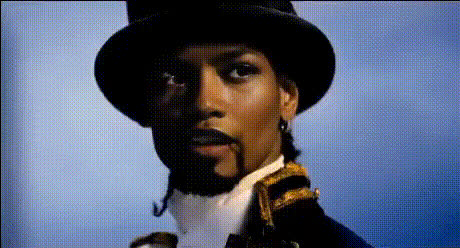
Snoop Walk Icon Emote
face-swap
Any aspect ratio
Snoop Walk Icon Emote – Face Swap Video Template
Create your own Fortnite-style Snoop Walk meme in minutes with Magic Hour’s Face Swap video tools. This template lets you drop any face onto the Snoop Walk Icon Emote so you can generate short-form content, memes, promos, or reaction videos without needing editing skills.
What This Template Does
This template is built around the Snoop Walk Icon Emote – a traversal dance emote inspired by Snoop Dogg’s signature walk in Fortnite. Using Magic Hour’s AI Face Swap, you can:
- Swap the original character’s face with your own, a friend, a client, or a character you designed
- Produce loopable meme clips for TikTok, Reels, Shorts, Discord, or community channels
- Generate content variations at scale (different faces for different audiences, campaigns, or A/B tests)
The template is optimized for clean, repeatable face swaps so you can focus on ideas, not manual keyframing or masking.
Quick Start: How to Remix This Template in Magic Hour
You don’t need to download or manage complex project files. You can recreate and remix this concept directly inside Magic Hour’s browser-based tools:
- Start with Face Swap Video
Open the Face Swap Video tool. Upload the Snoop Walk emote clip (or a similar dancing/traversal clip you’re allowed to use). - Upload Your Face (or Multiple Faces)
Add clear, front-facing photos of the faces you want to swap in. Good lighting, a neutral expression, and no heavy filters usually give the most reliable results. - Run the Face Swap
Let Magic Hour apply the face to every frame of the emote video. The system automatically handles alignment, expressions, and motion so the face follows the dance naturally. - Preview and Iterate
Watch the preview. If you want variations (different faces, outfits, or characters), just repeat the process with new source images. - Export and Share
Export your final clip and publish it to TikTok, Instagram Reels, YouTube Shorts, X, or your community server.
Once you’ve done this once, you effectively have your own remixable “Snoop Walk” template: swap the source video or faces and generate new content on demand.
What Is the Snoop Walk Icon Emote?
The Snoop Walk is a traversal emote in Fortnite’s Icon Series, themed around Snoop Dogg’s style and persona. In-game, traversal emotes let players move while performing the dance, making them ideal for expressive highlights and stylish clips.
Because it’s part of the Icon Series, the emote is designed to be recognizable and meme-friendly, which is exactly why it works so well as a base for face-swap videos, reaction memes, and branded content.
Use Cases for Creators, Marketers, and Teams
This template is especially useful if you:
- Run gaming channels – Turn your community members, stream moderators, or sponsors into the dancing character.
- Work in marketing or growth – Produce quick cultural references that feel native to gamer audiences and Gen Z–heavy channels.
- Build products or communities – Celebrate launches, wins, or inside jokes by putting your team or mascot into the Snoop Walk clip.
- Prototype creative concepts – Rapidly test which faces, characters, or visual styles get the most engagement before investing in full productions.
How to Build Advanced Remixes in Magic Hour
If you want to go beyond a simple one-off face swap, you can chain Magic Hour tools into a lightweight production pipeline:
- Generate or refine your character’s face
Use AI Face Editor or AI Face Generator to create or tweak a stylized face (e.g., cartoon, anime, hyper-realistic) before swapping it into the emote. - Create a themed avatar
For profile-based memes or branded content, generate matching avatars with the Avatar Generator and keep your Snoop Walk content visually consistent across platforms. - Turn static art into motion
If you only have an illustration or concept art, convert it into a moving clip first with Image to Video, then apply face swap to that motion. - Enhance quality
Upscale old or compressed game clips using Video Upscaler for sharper, more shareable results. - Spin off related meme formats
Combine with AI Meme Generator to add captions, or AI GIF Generator to export your Snoop Walk face swap as loopable GIFs for Discord and group chats.
Tips for High-Quality Face Swap Results
- Use clear, frontal faces – Front-facing photos with both eyes visible and minimal motion blur tend to produce the most natural swaps in dancing/emote clips.
- Match lighting and style where possible – Faces photographed in lighting similar to the base video (e.g., bright vs. low-light, realistic vs. stylized) usually integrate more convincingly.
- Avoid heavy filters – Extreme beauty filters, AR effects, or low-resolution screenshots can reduce realism and introduce artifacts.
- Test multiple sources – For campaigns or clients, generate several variants with slightly different angles or expressions and choose the best-looking result.
Related Magic Hour Templates and Tools
If you like this Snoop Walk Icon Emote template, you can build a full content series around similar workflows:
- Face Swap Video – Core template for putting any face into existing or custom video clips.
- Lip Sync – Make your Snoop Walk character “talk” or rap over voiceovers, music, or voice-cloned audio.
- Video-to-Video – Restyle the Snoop Walk clip into different visual aesthetics (cartoon, anime, painterly) while preserving the motion.
- Animation – Turn still characters or mascots into animated walkers or dancers you can then face-swap or lip-sync.
- Face Swap (product overview) – Learn more about Magic Hour’s face swap capabilities across images, GIFs, and video.
- Face Swap GIF – Perfect for looping Snoop Walk reactions, emotes, and stickers for chat apps.
Ethical and Practical Considerations
Face swap technology is powerful and should be used responsibly:
- Only swap faces you have permission to use (your own, consenting collaborators, or assets you own or license).
- Be transparent when content is AI-generated or edited, especially in commercial, political, or sensitive contexts.
- Respect platform guidelines and copyright restrictions for game footage and music.
How Creators Typically Integrate This into Their Workflow
From conversations across the creator and startup ecosystem, a common pattern looks like:
- Ideation – Identify a cultural reference (here, the Snoop Walk) that your audience already recognizes.
- Fast prototyping – Build 3–5 variants in Magic Hour using Face Swap Video, then quickly test which one gets the most engagement.
- Scaling – Once you know what works, scale production by swapping in different faces (influencers, customers, teammates, community members) and batch-exporting content.
- Repurposing – Turn high-performing clips into GIFs, thumbnails, and static promos using tools like Thumbnail Maker and AI Image Editor.
Next Steps
To create your own version of this Snoop Walk Icon Emote template:
- Open Face Swap Video.
- Upload your Snoop Walk–style clip and your chosen face images.
- Generate, review, and export your AI face swap video.
- Optionally, chain into Lip Sync, Video-to-Video, or AI GIF Generator to build out a full meme or campaign set.
With Magic Hour, you can go from idea to finished Snoop Walk face swap in just a few minutes, then remix it endlessly for different audiences, characters, and channels.