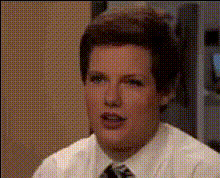
Roll Safe, the Guy-Tapping-Head Meme
face-swap
Any aspect ratio
Tags
memesRoll Safe “Guy Tapping Head” Meme Video Template
Turn the Roll Safe Meme Into Your Own Face-Swap Video
Use Magic Hour’s Roll Safe template to drop yourself (or anyone) into one of the most iconic internet reaction memes: the “guy tapping his head” from Hood Documentary. With Magic Hour’s AI Face Swap technology, you can instantly swap the face in the original Roll Safe clip with your own, add your caption, and export a ready-to-post meme video.
This template is built on Magic Hour’s Face Swap Video workflow, so you can remix it in seconds without needing video editing skills or design tools.
What Is the Roll Safe Meme?
The “Roll Safe” meme comes from British actor Kayode Ewumi playing Reece Simpson (aka “Roll Safe”) in BBC Three’s Hood Documentary. A single frame — Ewumi smirking and tapping his temple — became a global reaction image used to mock obviously flawed logic or self-justifying “life hacks.”
Key background:
- Origin: The clip first appeared in a Hood Documentary video published by BBC Three in June 2016.
- First viral edits: By late 2016 and early 2017, Twitter users were pairing the freeze-frame of Roll Safe tapping his head with captions like “You can’t be broke if you don’t check your bank account.”
- Common usage: The meme is typically used to highlight:
- Flawed but “clever” logic (“You can’t fail the exam if you never take it”).
- Self-deception, denial, or comedic shortcuts.
- Mock “strategy” or fake productivity hacks.
Because of its instantly recognizable pose and simple format (image + one caption), Roll Safe has become one of the most reusable reaction memes in internet culture, frequently cited on meme databases like Know Your Meme and used across X (Twitter), Instagram, Reddit, and TikTok.
What You Can Do With This Roll Safe Template
This template is designed for creators, marketers, and founders who want a fast, repeatable way to turn an evergreen meme into:
- Short videos for X, Instagram Reels, TikTok, and YouTube Shorts.
- Reaction clips for product launches and campaigns.
- Internal team jokes, pitch decks, and presentations.
- Brand storytelling (“our customers when they discover X”).
It supports multiple aspect ratios, so you can generate platform-specific versions from the same base asset without re-editing.
How to Remix This Template in Magic Hour
- Start from the Face Swap Video flow
Open the Face Swap Video tool. In the template gallery, look for the Roll Safe / “guy tapping head” meme video template. - Upload the face you want to use
Add a clear photo or headshot of yourself, a teammate, influencer, or character. For best results, use:- Good lighting and a visible face.
- Front-facing or slightly turned, with eyes open.
- Apply the face swap to the Roll Safe clip
Magic Hour’s AI will map the uploaded face to the actor in the Roll Safe video, keeping the original expressions, movement, and timing while changing the identity. - Add your caption or meme text
Write your “Roll Safe logic” caption. You can create multiple variants for A/B testing across channels, or localize the text for different markets. - Export and share
Download your meme video in the format you need and post it to X, TikTok, Instagram, LinkedIn, or embed it in landing pages and newsletters.
Advanced Remix Ideas for Power Users
Because this template is built on Magic Hour’s face-swap pipeline, you can combine it with other AI tools in the Magic Hour ecosystem:
- Create multiple “characters” for a campaign
Use AI Headshot Generator or AI Face Generator to create fictional faces, then swap them into the Roll Safe template for different personas (e.g., “Developer Roll Safe,” “Marketer Roll Safe”). - Turn images into animated variants
Start from a static Roll Safe-style image made with the AI Image Generator or AI Art Generator, then animate it using AI Talking Photo or Text-to-Video. - Spin out GIF and short-form content
Convert your Roll Safe clip into looping content with AI GIF Generator or use Face Swap GIF for lightweight, shareable reaction GIFs in Slack and Discord. - Integrate with other video templates
Combine your Roll Safe scene with:- Video-to-Video templates to restyle or re-theme the clip (e.g., anime-style Roll Safe, cyberpunk, or corporate explainer aesthetic).
- Animation templates to build multi-scene meme storylines where Roll Safe appears alongside other characters.
- Lip Sync to have the Roll Safe character deliver your actual line, tagline, or punchline.
Best Practices for High-Performance Roll Safe Memes
- Anchor in a real insight
The best Roll Safe memes exaggerate a real behavior: procrastination, metrics obsession, budgeting hacks, or workplace politics. Start from a truth your audience already knows and twist it. - Keep the caption lean
Aim for one sentence that can be understood in under two seconds. Avoid multi-line paragraphs or complex setups. - Optimize for each platform
- X / Twitter: Shorter captions and direct screenshots or short clips.
- Instagram & TikTok: Add on-screen text + subtitles so it works without sound.
- LinkedIn: Tie the meme back to a business insight, experiment result, or case study.
- Test multiple variants
Duplicate the template and adjust:- Caption wording (serious vs playful).
- Target persona (“founder brain,” “PM brain,” “engineer brain”).
- Visual style using AI Image Editor or Background Remover for thumbnails.
- Respect likeness and rights
When you swap faces, ensure you have the right to use that person’s likeness, especially for commercial or paid campaigns.
Suggested Use Cases by Role
- Founders & startup teams: Use Roll Safe clips to highlight “startup logic,” investor conversations, feature prioritization, or customer behavior.
- Marketers & growth teams: Turn common funnel mistakes, attribution debates, or KPI tradeoffs into quick, sharable memes for social campaigns and newsletters.
- Developers & product teams: Meme-ify tech debt, refactors, incident response, or release strategies for internal morale or recruiting content.
- Creators & influencers: Build recurring meme series (e.g., “Roll Safe Mondays”) where your face-swapped character comments on trends, niche drama, or weekly news.
Pairing With Other Magic Hour Tools
For more complex meme workflows, you can chain this template with:
- Thumbnail Maker to generate eye-catching YouTube and playlist covers featuring your Roll Safe character.
- Auto Subtitle Generator so your meme is instantly watchable on mute.
- Video Upscaler and Image Upscaler to preserve quality when you repurpose the asset across different platforms and resolutions.
- AI Voice Generator or AI Voice Cloner for Roll Safe-style commentary that matches you or your brand’s voice.
Why Use Magic Hour for Roll Safe Face Swaps?
- Purpose-built Face Swap engine: Optimized specifically for face swaps in video, not generic filters.
- Template-first workflow: Start from a proven meme format instead of building from scratch.
- Remixable across formats: Reuse your Roll Safe asset in Face Swap Video, Video-to-Video, and Animation flows.
- Creator- and team-friendly: Ideal for fast-moving social teams, agencies, and founders who need on-brand, repeatable meme content without a design bottleneck.
Get Started
Open the Face Swap Video tool, select the Roll Safe “guy tapping head” template, upload your face, write your caption, and export. In a few minutes, you’ll have a fully customized Roll Safe meme video ready to share, test, and repurpose across your channels.