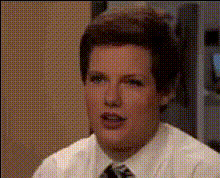
Rick Roll
face-swap
Any aspect ratio
Tags
memesRick Roll Face Swap Video Template
Create a high-impact, AI-powered Rick Roll in minutes. This template uses Magic Hour’s Face Swap technology to put any face onto the iconic “Never Gonna Give You Up” music video and turn a normal clip into a perfectly timed meme reveal.
What Is a Rick Roll (and Why It Still Works)?
Rickrolling is a classic internet bait-and-switch prank that started around 2007 on forums like 4chan and quickly spread across YouTube, Reddit, and social media. A user clicks a link expecting something relevant or serious and instead lands on Rick Astley’s 1987 hit “Never Gonna Give You Up.”
Because it’s:
- Instantly recognizable (the song + dance are meme canon)
- Lightweight and harmless (no offensive content)
- Flexible (can be embedded in serious, corporate, or meme content)
Rickrolling is still referenced in articles on internet culture, meme history, and virality strategies, and it remains one of the most cited examples when explaining “internet memes” to new audiences.
What This Template Does
This Rick Roll Face Swap Template lets you:
- Swap the face in the Rick Astley video with your own, a friend, or a character using AI face replacement
- Wrap that reveal clip in any “serious” or “neutral” video as a disguise
- Export a clean, platform-ready video for TikTok, Reels, Shorts, or desktop formats
Under the hood, it’s powered by Magic Hour’s AI Face Swap engine, the same tech used in the Face Swap Video creation flow.
How to Remix This Template in Magic Hour
You can use this template as-is, or remix it into your own variant. Here’s a practical workflow you can follow:
1. Start from Face Swap Video
Begin with the Face Swap Video tool. This is where you’ll combine:
- Target video: A clip of the “Never Gonna Give You Up” performance (or any dance/music video you want to Rick Roll with).
- Source face: A selfie, a friend’s photo, a team member, or a brand character.
Upload your source face and your target Rick Roll clip, then generate your face-swapped Rick Astley video.
2. Create the “Disguise” Segment
To make the prank work, you need a believable setup. Use any of these as your “disguise” video:
- A fake “breaking news” style talking-head clip
- A serious company announcement or product demo
- A chill nature, travel, or study video
- A game trailer, code walkthrough, or tutorial intro
You can also generate visuals first with:
- AI Image Generator or AI Photo Generator for backgrounds, stills, or cover images
- Image to Video if you want a short, looping “serious” motion clip from a static image
3. Stitch the Disguise + Rick Roll Reveal
Once you have your face-swapped Rick Roll clip and your disguise video, you can:
- Place the disguise first (a few seconds to build trust)
- Cut sharply into the Rick Roll clip at the moment you want the reveal
- Keep the total length short and punchy for TikTok/Reels/Shorts
If you’re starting from an existing video you want to transform into a Rick Roll, you can also experiment with the Video to Video template to stylize or re-interpret your disguise segment before the reveal.
4. Add Finishing Touches
To make your Rick Roll feel intentional and polished, consider:
- Captions & subtitles: Use the Auto Subtitle Generator to auto-generate subtitles for the disguise portion (this boosts watch time and retention).
- Audio continuity: Start with normal background audio in the disguise, then hard-cut or transition into “Never Gonna Give You Up.”
- Thumbnail: Generate a thumbnail with the Thumbnail Maker that looks serious or on-topic, not meme-y.
- Upscaling: If you’re using older or low-res footage, clean it up with the Video Upscaler and AI Image Upscaler for still frames.
5. Export in the Right Aspect Ratio
This template works with any aspect ratio:
- 9:16 (vertical) for TikTok, Reels, Shorts
- 1:1 for Instagram feed posts
- 16:9 for YouTube or embedded websites
Choose the format that matches where you’ll publish most often.
Advanced Remix Ideas for Creators & Marketers
1. Personalized Rick Roll for Your Community
- Swap in your own face or your team’s faces on different characters with AI Face Editor and Face Swap.
- Send it to your newsletter list, Discord, or Slack community as an “announcement,” with the Rick Roll reveal in the video.
2. Brand or Product-Themed Rick Roll
- Use the AI Logo Generator or Album Cover Generator to design a fake “official” cover or slide for your disguise segment.
- Create a short “product demo” that suddenly Rick Rolls viewers, but with your founder’s face swapped onto Rick Astley.
3. Character & IP-Based Rick Rolls
For channels focused on characters, fan art, or fantasy worlds, you can:
- Generate characters with the AI Character Generator, AI Anime Generator, or Disney AI Generator, then face-swap them into the Rick Roll video.
- Use Animated Characters Generator to create stylized avatars that appear in the disguise and then reveal as the dancing Rick Roll.
4. Cross-Media Rick Rolls
- Turn a static meme or screenshot into motion with Image to Video and then cut into your face-swapped Rick Roll.
- Use Lip Sync or AI Talking Photo to create talking-head “serious” intros that suddenly smash-cut to the full Rick Roll.
Best Practices for a High-Impact Rick Roll
- Make the setup credible: The disguise needs to feel real and aligned with your audience’s expectations (e.g., “Q4 product roadmap,” “urgent bug fix update,” “new trailer leaked”).
- Keep it short: Short-format content performs better on TikTok and Reels. Aim for 6–20 seconds total with a fast reveal.
- Optimize for sound-on: The joke depends on the music. Use captions but design the joke to land when viewers have audio on.
- Use clean visuals: High-resolution faces and clips swap better. If needed, enhance old images with Unblur Image or Old Photo Restoration.
- Respect consent & IP: Only swap faces you have rights or permission to use, and be transparent with collaborators if you’re using their likeness.
Who This Template Is For
- Creators & streamers: Build inside jokes with your audience or turn patch notes, schedule changes, or “serious” announcements into shareable memes.
- Startup teams & marketers: Drop a light, self-aware Rick Roll into internal all-hands, launch campaigns, or social posts as a pattern interrupt.
- Developers & product people: Embed this into onboarding, changelog videos, or April Fools experiments to humanize your brand.
Related Magic Hour Tools You Can Combine
To go beyond the base template, consider pairing it with:
- Face Swap Video – core engine behind this template
- Face Swap GIF – turn your Rick Roll into a looping GIF for chats or Slack
- AI GIF Generator – create quick, shareable meme loops from your Rick Roll
- Text to Video – generate a fake “serious” intro from a script before cutting to the Rick Roll
- AI Voice Generator or AI Voice Cloner – create a very official-sounding voiceover for your disguise segment
Why Use This Rick Roll Face Swap Template on Magic Hour?
- Fast iteration: Duplicate and remix variations in minutes instead of editing layer by layer.
- AI-native workflow: Face swap, character creation, image generation, and video enhancement live in one ecosystem.
- Creator- and team-friendly: Ideal for social media managers, YouTube editors, short-form creators, and startup teams who want a playful asset without burning engineering or design time.
Use this template as your starting point, then remix it with other Magic Hour tools to build personalized, on-brand Rick Rolls that feel less like a one-off prank and more like a recurring, sharable format in your content stack.