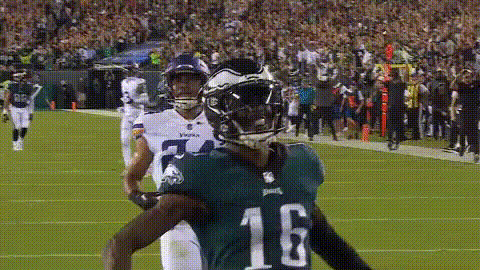
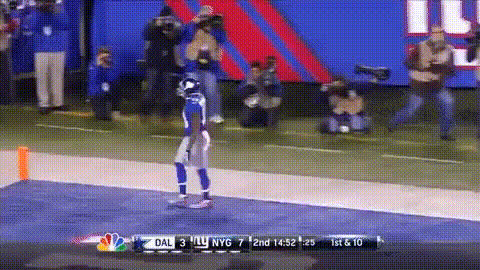
Travis Kelce On Field
face-swap
Any aspect ratio
Travis Kelce On-Field Face Swap Video Template
Overview
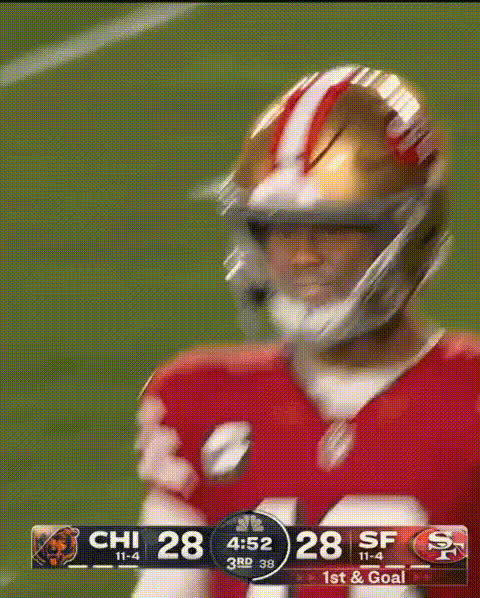
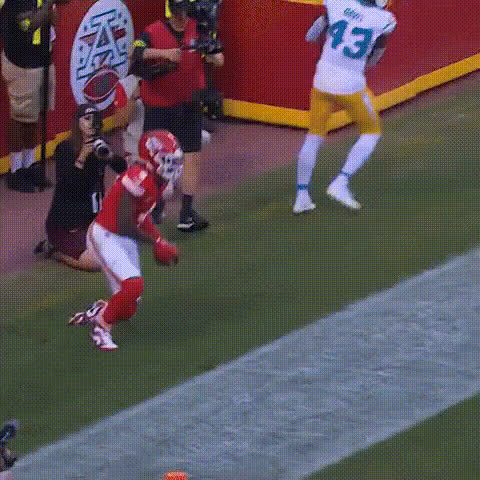
The “Travis Kelce On-Field” template lets you drop yourself — or anyone else — straight into a professional football moment using Magic Hour’s AI-powered Face Swap technology. In a few clicks, you can generate a high-energy clip where your face appears on an NFL player’s body, perfect for social content, campaigns, and fan engagement.
This template is built on the same underlying engine that powers Magic Hour’s Face Swap Video templates, so it’s optimized for realistic blending, motion, and lighting across the entire clip.
What You Can Do With This Template
- Create fan content at scale: Put yourself, friends, clients, or influencers onto a pro athlete’s body for game-day hype videos, fantasy league intros, or watch-party promos.
- Produce sports campaigns fast: Swap faces for different audiences or segments without reshooting footage — ideal for marketers, agencies, and startups testing multiple creatives.
- Generate viral social clips: Turn on-field highlights into memes, reaction videos, or inside jokes for TikTok, Instagram Reels, YouTube Shorts, or X.
- Prototype concepts for athletes & brands: Quickly mock up what a collab or sponsorship concept would look like before committing to a full production.
Key Features
- AI Face Swap on Pro Footage
This template uses Magic Hour’s dedicated AI Face Swap model to track the player’s head and automatically blend your uploaded face with realistic skin tones, angles, and expressions throughout the play. - High-Impact, On-Field Camera Work
The source video is shot like a broadcast highlight — sideline and on-field footage, fast motion, and clear action — so your edit feels like a real NFL clip rather than a static or staged scene. - Ready for Social & Campaign Use
The output works well for short-form platforms and can be paired with tools like the Video Upscaler or Auto Subtitle Generator if you want to improve quality or add captions for your final export. - Remixable with Other Magic Hour Tools
Once generated, your video can be combined with:- Lip Sync – make the player “speak” your script, commentary, or a brand message.
- Video-to-Video – stylize the clip (e.g., comic-book, anime, or cinematic looks).
- Text-to-Video – build intros, outros, or explainer overlays around the highlight.
Lore & Context: Why This Template Works
Travis Kelce is one of the NFL’s most recognizable tight ends, best known for his role with the Kansas City Chiefs, his playoff performances, and his off-field cultural presence. According to league stats and coverage from outlets like the NFL and ESPN, Kelce has consistently ranked among the top tight ends in receptions, yards, and touchdowns for over a decade, contributing to multiple Super Bowl runs.
Because of that visibility — from prime-time games to viral sideline moments — on-field footage featuring a player like Kelce has strong cultural resonance. Face-swapping into that type of clip taps into:
- Sports fandom – fantasy football leagues, team fanbases, and watch parties.
- Memes & social trends – playful riffs on game-day drama, celebrations, or sideline reactions.
- Brand storytelling – “you’re the star player” narratives for customers, employees, or contest winners.
How to Remix This Template in Magic Hour
You can either use this specific template or build your own version in a few steps:
- Start from a Face Swap Video flow
Go to Face Swap Video and choose a sports or action-style template from the library, or start from your own gameplay footage if you have rights to it. - Upload the target video
Use a clip with clear views of the player’s face and consistent motion. Broadcast-style or sideline footage works best (similar to this Travis Kelce on-field angle). - Upload your source face
Add a well-lit photo (front-facing, minimal occlusions like helmets or sunglasses). You can generate faces with tools like:- Avatar Generator – stylized avatars to place on the player.
- AI Face Generator – synthetic faces for concept work or demo assets.
- Generate the face-swapped clip
Let Magic Hour create the new video with the swapped face. Review the preview to make sure expressions, angles, and lighting look natural. - Optional: Stack more AI tools
- Use Lip Sync to sync the player’s mouth to a custom voiceover or commentary.
- Apply AI Voice Generator or AI Voice Cloner to create or replicate a voice track for your character.
- Enhance thumbnails or stills from the video with the AI Image Editor, Thumbnail Maker, or AI Logo Generator for branded content.
- Export and publish
Download your video and post to TikTok, Instagram, YouTube, X, or embed it in landing pages, campaign pages, or product launches.
Best Practices for Realistic Sports Face Swaps
- Use clean, high-quality face photos
Avoid blurry, low-light, or heavily filtered photos. Well-lit, front-facing images will improve realism in fast on-field motion. - Match angles where possible
If the player is mostly looking sideways, choose a photo with a slight turn rather than a perfectly straight-on headshot. - Stay within rights & policies
Only upload photos and footage you have permission to use. For marketing or commercial work, confirm likeness rights and league / team usage policies. - Test different faces for different audiences
For campaigns, quickly A/B test variants by swapping in different avatars, personas, or customer archetypes. Magic Hour’s AI Image Generator or AI Character Generator can help you create distinct looks for each segment.
Ideas & Use Cases
- Creators & Influencers
- Weekly “I’m on the field” highlight videos before big games.
- Reaction content: face-swap yourself into iconic plays, then stitch or duet.
- Membership perks: customized clips for subscribers or community members.
- Marketers & Startups
- Game-day social ads where the “hero customer” is the star player.
- Onboarding or product tours using AI Talking Photo or talking avatars, then cutting to this on-field face swap for emotional payoff.
- Internal campaigns: reward employees or contest winners with personalized sports highlight clips.
- Developers & Product Teams
- Prototype AI-powered fan engagement features for sports apps.
- Test user-generated highlight concepts before building custom infrastructure.
- Use Image Background Remover, Remove Object from Photo, and AI Image Upscaler to prep training or promo assets.
Remixing Beyond This Template
Once you’re comfortable with this Travis Kelce on-field template, you can extend the same workflow to other content in Magic Hour:
- Video-to-Video – turn your on-field clip into anime, comic, or stylized art using AI-driven transformations.
- Animation – build animated sequences where your character transitions from a locker room scene to the on-field moment.
- Image-to-Video – start from a single hero image and evolve it into a short motion sequence, then face-swap onto it.
- AI GIF Generator or Face Swap GIF – export key moments as looping GIFs for chats, Slack, or social replies.
Summary
The “Travis Kelce On-Field” Face Swap template gives creators, marketers, and builders a fast way to drop themselves or their audience into a high-energy football moment. By combining it with other Magic Hour tools — from Face Swap Video and Lip Sync to AI Voice, Video Upscaler, and more — you can turn a single sports clip into a complete, reusable content system for campaigns, prototypes, and fan engagement.