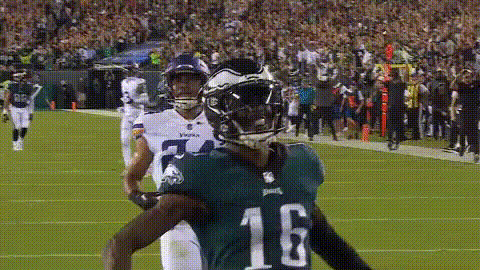
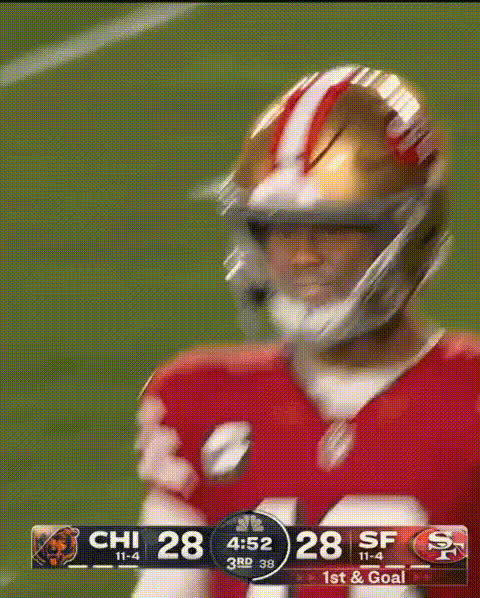
Nick Bosa Check In

face-swap

1 clip
4 uses

Any aspect ratio

Nick Bosa Check-In – Face Swap Video Template

Overview

The “Nick Bosa Check-In” template is a fan-made, AI-powered face swap video built with Magic Hour. It lets you drop Nick Bosa’s likeness into your own short clips—check-ins, reactions, skits, or memes—using the same underlying technology as Magic Hour’s core Face Swap product.

Use it as-is, or remix it into your own version using Magic Hour’s Face Swap Video template flow. It’s designed for:

  • Sports creators and NFL / 49ers fans making social content
  • Marketers testing athlete-style hooks and reaction formats
  • Founders and teams prototyping “persona-driven” content quickly

What This Template Does

This template is a reusable Face Swap setup where Nick Bosa appears as the “check-in” character—think quick updates, funny cutaways, or reaction shots. You can:

  • Swap a face in your video with a Nick Bosa-style face reference
  • Reuse the same structure (camera framing, timing, pacing) while changing the content
  • Export in a social-ready format for TikTok, Instagram Reels, YouTube Shorts, or X

Under the hood, it’s powered by the same tech as:

Important Note on Real People & Policy

Nick Bosa is a real person and a current NFL defensive end for the San Francisco 49ers. When using any public figure’s likeness:

  • Follow copyright, platform policies, and local laws
  • Avoid misleading uses (e.g., fake endorsements, political messaging)
  • Respect the terms of service of Magic Hour and the platforms where you publish

If you’re creating commercial or high-visibility campaigns, consider using fictional or AI-generated characters instead via tools like AI Character Generator, Avatar Generator, or Animated Characters Generator.

Lore & Context

Nick Bosa has become one of the NFL’s most recognizable pass rushers, winning the AP Defensive Player of the Year award in 2022 and anchoring the 49ers’ defense. Off the field, he’s also drawn attention for his public persona and political signaling, including a postgame interview where he wore a “Make America Great Again” hat, which sparked debate when parts of the moment were reported as edited or downplayed in some coverage. This mix of on-field dominance and off-field controversy has turned him into a frequent subject of memes, reactions, and online discourse.

The “Nick Bosa Check-In” template taps into that cultural footprint. It’s designed as a flexible format you can adapt into:

  • Game-day check-ins (“Bosa checking in after that sack…”)
  • Fantasy football updates
  • Reaction content to NFL news, free agency moves, or highlight clips
  • Satirical or humorous “press conference” style videos

How to Remix This Template in Magic Hour

You don’t need to start from scratch. To create your own version of this template:

  1. Open the Face Swap Video flow
    Go to Face Swap Video in Magic Hour. This is the base workflow powering the Nick Bosa Check-In.
  2. Import your base video
    Use any short clip where a face is clearly visible—selfie check-ins, seated talking-head shots, or sideline-style commentary all work well.
  3. Add your face reference
    Provide the face you want to swap in (e.g., Nick Bosa, a teammate, or a fictional character). You can create AI-native faces with tools like:
  4. Generate and preview
    Run the face swap, then review the video for realism, expression alignment, and any artifacts, especially around edges like the jawline or hairline.
  5. Iterate and save as your own template
    Tweak your base clip, camera framing, and script, then save the project as your personal “check-in” template so you can re-use it for future updates.

Once you’ve built your variant, you can quickly create new episodes by re-recording the base line or updating the script while keeping the same structure and face mapping.

Creative Use Cases

  • Sports content & fan media
    Turn weekly game reactions, injury updates, or playoff predictions into a recurring “Bosa check-in” series.
  • Fantasy football & betting content
    Use the template for instant, shareable “Bosa reacts to your lineup” or “Bosa checks in on your parlay” clips.
  • Startup & product marketing
    Prototype formats like:
    • Athlete-style “host” characters explaining product updates
    • Reaction memes for product milestones, launches, or bug fixes
    Later, you can replace Nick Bosa with your own fictional brand character using AI Talking Photo and Text-to-Video.
  • Meme & reaction clips
    Build short reaction formats you can repurpose as:

Power-User Workflows & Related Magic Hour Tools

For creators and teams building repeatable pipelines:

Examples & Prompts to Try

Some concrete scenarios you can build with a Nick Bosa-style check-in format:

  • Game recap: “Nick Bosa checks in after the 49ers’ win” – overlay stats, big plays, and your commentary.
  • Fantasy meltdown: “Bosa checking in on your fantasy team after you benched him” – punchy, meme-driven clips.
  • Training & hustle content: Short motivational check-ins framed as pre-game or post-workout clips.
  • Product analogy: “If our new feature was a pass rush…” – blending sports metaphors with product storytelling.

Best Practices for Realistic Face Swaps

  • Use clean, front-facing footage – more consistent lighting and a visible face yield better swaps.
  • Match expressions – if the base clip is smiling or talking, choose a face reference with similar expression.
  • Keep clips short and focused – 5–20 second segments work well for reactions and check-ins.
  • Respect safety & context – avoid harmful, defamatory, or misleading uses when working with real people’s likenesses.

Sharing & Iterating with the Community

Magic Hour’s library includes thousands of community-made templates across sports, gaming, memes, and storytelling. Once you’ve built your “Nick Bosa Check-In” variation:

  • Turn it into a reusable pattern for your channel or brand
  • Test multiple “hosts” (Nick Bosa, fictional athletes, anime characters) and see which format performs best
  • Chain it with other tools like AI Meme Generator for static memes or AI Talking Photo for quick, lightweight check-ins

By starting with this template and remixing it inside the Face Swap Video flow, you can build a repeatable, high-output content system that feels personal, topical, and highly shareable—without needing a production team or complex editing stack.

More Like This

Insufficient credits