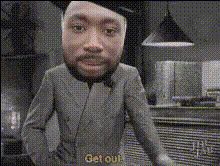
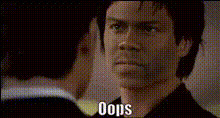
There Is No Excuse Meme
face-swap
Any aspect ratio
There Is No Excuse Meme – Face Swap Video Template
Create your own “There Is No Excuse” meme video in minutes using Magic Hour’s AI face swap tools. This template is built on the same technology that powers Magic Hour’s dedicated AI Face Swap and Face Swap Video products, so you can reliably generate clean, funny, on‑brand meme content for social, ads, or internal team jokes.
What This Template Is Best For
- Short social memes for TikTok, Reels, and YouTube Shorts
- Putting founders, teammates, or influencers into the “There Is No Excuse” format
- Rapid A/B testing of creatives for performance marketing
- Reaction content, stitched videos, and community posts
- Internal culture videos (sales kickoffs, company all‑hands, product launches)
How the Face Swap Works
This template uses Magic Hour’s production‑grade AI face swap engine, the same stack used in the standalone Face Swap Video template:
- Identity‑aware swapping: The model learns facial structure and expression from your source photo and maps it onto the target performance while preserving lighting and pose.
- Temporal consistency: Frames are generated to look coherent over time, avoiding the “flicker” that plagues many older face‑swap systems.
- High‑resolution output: For sharper results, you can combine this template with Magic Hour’s AI video upscaler or image upscaler for thumbnails and previews.
Face swapping has been widely studied in computer vision under “identity transfer” and “face reenactment.” Modern approaches typically combine convolutional networks and attention mechanisms to learn a disentangled representation of identity and expression, which is what allows this template to re‑target a single face onto many different meme clips while keeping reactions and mouth shapes believable.
How to Remix This Template in Magic Hour
You can recreate or customize your own version of the “There Is No Excuse” meme inside Magic Hour by chaining together a few core tools:
- Start from a meme‑ready clip
Use the existing template, or bring in your own base video (e.g., a reaction shot, a scene from your brand video, or a stock clip). - Swap the face onto the base video
Open the Face Swap Video template and:- Upload the base meme video as the target.
- Add your source face (founder, customer persona, celebrity look‑alike, or a character you generated with the AI character generator or avatar generator).
- Refine visuals and still images
For thumbnails, cutdowns, or static meme panels:- Generate new stills with the AI image generator or AI photo generator.
- Edit backgrounds, remove distractions, or clean artifacts using the AI image editor and object remover.
- Add motion variants or alternate shots
If you want different camera angles or extra meme beats:- Turn stills into short animated segments with Image to Video.
- Transform existing footage into a different style (cartoon, sketch, anime) using Video to Video, or tap into stylized tools like the AI anime generator or comic book generator for supporting visuals.
- Optional: Add voice and lip sync
To turn your meme into a fully talking character:- Generate or clone a voice with the AI voice generator or voice cloner.
- Sync the audio to the character using the Lip Sync template or AI talking photo for still‑image memes.
- Finalize and distribute
Before posting:- Auto‑generate subtitles for social feeds with the auto subtitle generator.
- Create platform‑optimized thumbnails using the thumbnail maker or icon generator.
Creative Use Cases for Creators, Marketers, and Teams
For Content Creators and Streamers
- Put yourself into viral “There Is No Excuse” clips to react to trending news, game updates, or industry drama.
- Generate channel‑branded meme formats using your avatar created via the avatar generator or AI selfie generator.
- Batch‑produce variations for A/B testing thumbnails, intros, and hooks.
For Growth and Performance Marketers
- Turn “There Is No Excuse” into a reusable ad concept to call out common objections: “There is no excuse not to automate your reporting,” “There is no excuse to ship without tests,” etc.
- Localize faces and characters for different markets while keeping the same core script, using AI voice and lip sync to match languages.
- Generate quick meme assets for performance creative sprints, then upscale winners with the video upscaler for paid campaigns.
For Startups and Product Teams
- Use the meme to highlight “no‑excuse” behaviors in product adoption, onboarding, or security hygiene for internal training.
- Create lighthearted content for launch announcements, investor updates, or recruiting campaigns.
- Prototype brand mascots or personas with the AI character generator and drop them into meme formats for rapid feedback.
Design, Style, and Variations
The “There Is No Excuse Meme” format is flexible. You can treat it as a backbone and skin it in multiple aesthetics:
- Hyper‑realistic: Use realistic faces and keep the original footage style; great for LinkedIn, X, and founder‑focused content.
- Cartoon or anime: Generate stylized versions of your characters with the AI anime generator, Disney‑style generator, or animated characters generator, then bring them into the meme clip via Video to Video.
- Comic / illustration: Turn key frames into panels with the AI illustration generator or comic book generator for cross‑posting to static channels.
For image assets around the meme (intro cards, end screens, overlays), you can rely on the AI art generator, album cover generator, or book cover generator to quickly produce branded visual systems that still feel “meme‑native.”
Best Practices for High‑Performing Meme Videos
- Lead with the face and the hook: First seconds matter. Crop or design so the swapped face and “There Is No Excuse…” line appear immediately in frame.
- Keep scripts tight: Most meme formats perform best under 15 seconds on TikTok/Shorts. Focus on one sharp insight, pain point, or joke.
- Design for silent autoplay: Use bold on‑screen text plus auto‑generated subtitles for viewers who watch with sound off.
- Stay within policy: Avoid misleading impersonations or harmful use of public figures; treat AI face swap the same way you’d treat any other powerful creative tool.
- Reuse your best setups: Once you find a structure that works (same timing and reaction beats), keep the skeleton and only swap faces, lines, or props to scale content output.
Advanced Remix Ideas
- Meme → GIF loops: Turn short segments into shareable loops with the AI GIF generator or experiment specifically with face swap GIF for reaction libraries in Slack and Discord.
- Cross‑format storytelling: Use text‑to‑video to auto‑generate B‑roll scenes that you cut between your face‑swapped meme beats.
- Branded meme packs: Combine this template with the AI logo generator, background generator, and outfit generator to lock in a recognizable, repeatable brand look for all your meme content.
Why Build This in Magic Hour Instead of a Single‑Purpose Meme App?
Magic Hour is a full AI media stack, not just a meme maker. That matters if you are a creator, marketer, or startup team that cares about:
- Reusability: The same faces, voices, and assets you create for this meme template can be reused across explainers, product videos, GIFs, and campaigns.
- Image + video + audio in one place: You can go from concept sketch to final meme with tools like AI art generator, animation, AI voice, and video upscaler without jumping between platforms.
- Iterating fast: Because templates like Face Swap Video, Lip Sync, and Video to Video are all accessible in the same workflow, you can generate dozens of smart variations instead of a single static meme.
Get Started
To create your own “There Is No Excuse Meme” video:
- Open the Face Swap Video template in Magic Hour.
- Upload or select the “There Is No Excuse” base clip (or your own meme‑style footage).
- Add the face you want to feature and generate your face‑swapped version.
- Optionally layer in voice, lip sync, subtitles, and supporting visuals using the tools linked above.
- Export and publish to your channels, then iterate on the best‑performing versions.
Use this template as a starting point, then remix it into a reusable meme system for your brand or channel using Magic Hour’s broader suite of AI creation tools.