Duye Duye Meme

face-swap

1 clip
1 uses

Any aspect ratio

Duye Duye Meme Video Template

Create Your Own Duye Duye Meme with AI Face Swap

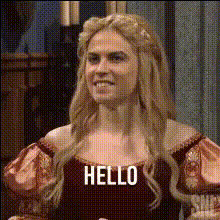
The Duye Duye Meme Video Template lets you instantly drop yourself (or anyone) into a viral-style meme using AI face swap. Built on Magic Hour’s Face Swap technology, this template replaces the original face in a pre-made Duye Duye scene with your own, giving you a fast way to produce highly shareable, short-form meme content for TikTok, Instagram Reels, YouTube Shorts, and more.

Instead of manually editing frames or learning complex video tools, you upload a face, apply the template, and export a ready-to-post meme in minutes.

What Is the Duye Duye Meme?

“Duye Duye” is part of a wave of music-driven meme formats popularized on short-form video platforms like TikTok and YouTube Shorts, where creators remix the same audio or structure with new faces and contexts. The core idea:

  • A recognizable, looping scene with a catchy track
  • Over-the-top reactions or movements
  • Face-swapped characters to make the meme personal and funny

This template recreates that format for you. You bring the face, the persona, and the context; Magic Hour handles the face replacement and video generation.

How to Remix This Template in Magic Hour

You don’t have to start from scratch. You can remix this template inside Magic Hour and quickly build your own version for your brand, friends, or audience. Here’s the typical workflow:

1. Start from an AI Face Swap Video

Begin with Magic Hour’s Face Swap Video creator. This is where you:

  • Load or recreate the Duye Duye base clip (the meme scene)
  • Upload a face (yours, a character, or a fictional persona)
  • Generate the face-swapped meme video

Because this template is built on the same engine as Magic Hour’s Face Swap and Face Swap GIF, it’s optimized for realistic, expression-aware swaps that maintain lighting, pose, and motion.

2. Prepare Your Face for Best Results

For clean, believable swaps:

  • Use a clear, front-facing photo with good lighting
  • Avoid heavy occlusions (large sunglasses, hands covering the face)
  • Use a high-resolution photo; you can enhance older or low-res photos with the AI Image Upscaler or sharpen them with Unblur Image
  • If needed, refine facial details with the AI Face Editor

3. Customize the Duye Duye Scene

To give your Duye Duye meme a unique angle, you can:

You can then bring these visuals into the video flow via Image to Video or Video to Video to animate or stylize your Duye Duye clip further.

4. Add or Remix Audio

The Duye Duye meme format relies heavily on the audio hook. In Magic Hour, you can:

  • Keep the original Duye Duye-style track as-is
  • Create custom narration or character voices with the AI Voice Generator
  • Clone your own voice to match the meme using the AI Voice Cloner
  • Change voice styles (e.g., character voices) with the AI Voice Changer

5. Polish, Subtitle, and Export

Once you’ve got a face-swapped Duye Duye video you like:

  • Improve clarity for social platforms with the Video Upscaler
  • Automatically subtitle your meme for silent autoplay feeds using the Auto Subtitle Generator
  • Export in a short-form-friendly format for TikTok, Reels, and Shorts

Advanced Remix Ideas for Creators & Marketers

If you’re a creator, marketer, or startup team using memes to drive attention or brand recall, you can extend this Duye Duye template in a few powerful ways:

  • Campaign Variations: Generate multiple Duye Duye memes featuring your team, your mascot, or your customers (with permission) by swapping different faces in the same base video.
  • Localized Memes: Use the AI Voice Generator to adapt the dialogue or voiceover into multiple languages while keeping the same visual meme format.
  • Product-Focused Skits: Combine Duye Duye with AI-generated product shots or mockups using the AI Logo Generator, AI Icon Generator, or Book Cover Generator for campaigns and launches.
  • Character Universes: Build a recurring cast with the Animated Characters Generator, Superhero Generator, or AI Manga Generator, then drop them into the Duye Duye meme format repeatedly.

Other Magic Hour Tools That Pair Well with This Template

To turn a simple Duye Duye clip into a full content pipeline, many teams pair this template with:

Best Practices: Making Duye Duye Meme Videos That Perform

  • Hook fast: Ensure the first second of the clip clearly shows the face swap and the gag. Short-form platforms reward fast hooks.
  • Lean into contrast: The funniest face swaps often come from strong contrast—serious faces in absurd contexts, or vice versa.
  • Optimize for mobile: Design for vertical, small-screen viewing; clear facial expressions and readable subtitles matter.
  • Respect rights and consent: If you’re using someone else’s likeness (friends, colleagues, public figures), follow platform policies and local laws. For commercial work, always get explicit permission.
  • Iterate quickly: Treat the Duye Duye template as a rapid A/B testing tool. Produce several variants, post them, and double down on what performs.

Who This Template Is For

This Duye Duye Meme Video Template is especially useful for:

  • Creators: Make recurring meme series featuring your persona or characters, without heavy manual editing.
  • Marketers & Growth Teams: Spin up meme-driven campaigns that stay on trend and can be iterated quickly.
  • Startup Builders: Test playful brand storytelling and experiments in public without burning time on production overhead.
  • Community Managers: Turn inside jokes, team members, or community moments into Duye Duye-style memes to boost engagement.

From Template to Custom Meme System

The Duye Duye Meme Video Template is a starting point, not a ceiling. By combining it with:

you can turn a single meme template into a reusable system that supports ongoing content calendars and experiments.

Try the Duye Duye Meme Template

To create your own version of this template, start by opening the Face Swap Video tool, load or recreate the Duye Duye base clip, upload your face, and generate. Then iterate—try new faces, new contexts, and new audio variants. In a few cycles, you’ll have a Duye Duye meme format tailored to your audience and brand.

More Like This