Realizing the Obvious
face-swap
Any aspect ratio
Tags
memes“Realizing the Obvious” – Face Swap Video Template
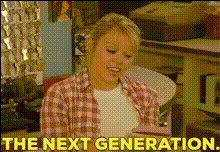
“Realizing the Obvious” is a ready-to-use video template built on Magic Hour’s Face Swap technology. It’s designed for creators, marketers, and startup teams who want fast, eye‑catching, meme‑ready video content without learning complex editing tools.
Use it to turn a simple clip into a punchy reveal moment: a character suddenly “realizes” something obvious, and your swapped face makes the joke, the hook, or the punchline land instantly.
What This Template Does
This template uses Magic Hour’s AI Face Swap engine to replace one or more faces in a pre‑timed “realization” scene. You provide the faces; the template handles timing, motion, and expressions.
Ideal for:
- Short-form content (TikTok, Reels, Shorts)
- Reaction memes and “I finally get it” jokes
- Product “aha moment” demos or explainers
- Internal presentations or pitch decks that need a visual punchline
The Face Swap model uses detailed facial landmark detection (commonly 60–100+ key points around eyes, mouth, jawline, etc.) to align your face with lighting, angle, and motion in the source clip, enabling natural‑looking expressions and lip movement that match the original performance.
Key Benefits for Creators & Teams
- Production‑quality in minutes – Skip manual masking, keyframing, and compositing. Upload, assign faces, generate.
- Multi‑face support – Swap several characters in the same scene to tell a richer story (e.g., your team, your customers, or “before vs after”).
- Consistent style across campaigns – Reuse this template to create a recurring “realization” format that audiences recognize.
- Repurpose across channels – Export and adapt for social, landing pages, email campaigns, pitch decks, and internal comms.
How to Remix This Template in Magic Hour
You can recreate or customize a “Realizing the Obvious” format in Magic Hour by starting from any compatible Face Swap workflow and then iterating. A simple, creator‑friendly process:
- Start with a Face Swap video workflow
Go to the Face Swap Video template. This gives you a structure similar to “Realizing the Obvious,” but you can plug in your own footage and faces. - Choose or upload your base clip
Pick a clip where someone:- Has a clear “reaction” or “aha” moment (eyebrows lift, eyes widen, head tilt)
- Is well‑lit and mostly facing the camera
- Has minimal occlusion (no hands constantly covering the face, no heavy motion blur)
You can reuse a clip you shot yourself, stock footage, or any licensed video that fits a “realization” beat.
- Upload the faces you want to swap in
Provide one or more face reference images:- Use sharp, front‑facing photos with neutral or light expressions.
- Avoid heavy filters, sunglasses, or extreme shadows.
- For consistent series (e.g., a recurring character), keep the same source photo each time.
If you need new faces or fictional characters, you can generate them first with tools like the AI Character Generator, AI Face Generator, or Avatar Generator, then use those images as Face Swap inputs.
- Assign faces to characters
In the Face Swap flow, map each uploaded face to the person you want to replace in the video. For multi‑character setups, use different reference images for each character to avoid confusion and to make the narrative clearer (“me,” “my cofounder,” “the investor,” “the customer,” etc.). - Generate and review
Run the generation, then review:- Check whether the “realization” moment is readable on a small mobile screen.
- Verify that expressions and eye direction still make sense with your swapped face.
- Regenerate if the source clip has extreme motion or fast cuts around the key moment.
If you need sharper visuals, you can enhance stills with the AI Image Upscaler or clean up thumbnails with the AI Image Editor.
Advanced Ways to Extend This Template
Once you’ve tried the base “Realizing the Obvious” format, you can combine it with other Magic Hour tools to build richer content flows:
- Turn stills into motion, then swap
Start with a single image of a character (real or AI‑generated) and animate it using Image to Video. Then run that generated clip through Face Swap Video to put your own face on the animated character for a stylized realization meme. - Make the “realization” talk
After swapping the face, animate speech using AI Talking Photo or combine with Lip Sync templates, then narrate a key insight, product benefit, or punchline. - Create a recurring series
Use the same character and Face Swap input across multiple episodes. For example:- “Realizing the Obvious: Analytics Edition” – your face on a businessperson as they finally check their metrics.
- “Realizing the Obvious: Startup Edition” – founders realizing a simple growth lever they ignored.
- “Realizing the Obvious: Customer Edition” – your ideal buyer finally discovering your product.
- Experiment with styles and genres
Generate stylized or fictional setups first with tools like the AI Anime Generator, Disney AI Generator, AI Art Generator, or Animated Characters Generator, then run Face Swap on the result. You’ll get “realizing the obvious” moments in anime, cartoon, or comic‑book form.
Use Cases for Professionals
For busy, results‑focused users, this template is particularly effective in a few scenarios:
- Marketing & growth
- Short “aha moment” ads where a character realizes your product solves a painful problem.
- Variation testing: keep the same video, swap in different personas or faces for different audience segments.
- UGC‑style creatives where your face is on a stock actor, preserving performance but localizing to you or your team.
- Founders & startup teams
- Pitch intros where “you” suddenly realize the core insight behind your startup.
- Internal memos or all‑hands intros with a light, meme‑forward moment.
- Educators & explainers
- Concept‑driven shorts where the character literally “gets it” on screen as you introduce a key idea.
- Multiple roles in one video (teacher, student, skeptic) all played by different swapped faces.
Best Practices for High‑Quality Face Swaps
- Prioritize clean source footage
Stable lighting, minimal blur, and limited occlusion will always produce better swaps. Subtle head movements and expressions are ideal. - Use high‑quality reference images
Use clear, well‑lit photos. If your results look soft or distorted, try:- Upscaling the face image with the AI Image Upscaler.
- Retouching or cleaning it in the AI Image Editor.
- Mind expression and angle
For the “realization” beat, choose reference images where your face angle roughly matches the key frame in the clip. Neutral to slightly expressive works better than extreme expressions. - Maintain ethical and legal use
Always respect consent and licensing. Use your own face, your team’s (with permission), or synthetic/AI‑generated identities. Avoid impersonating private individuals, celebrities, or brands without explicit rights.
Related Magic Hour Tools Worth Exploring
To build richer workflows around “Realizing the Obvious” and Face Swap, these tools pair well:
- Face Swap GIF – Turn your realization moment into looping GIFs for messaging apps, Slack, and social reactions.
- AI Meme Generator – Add text overlays and meme formats to your swapped clips or frames.
- Text to Video – Draft scenarios in text, generate a video, then apply Face Swap on top for rapid prototyping.
- Video Upscaler – Improve resolution of your final swapped video for higher‑end channels (web, presentations).
- AI Voice Generator and AI Voice Cloner – Give your character a distinctive or brand‑consistent voice to go with the realization moment.
Creating Your Own “Realizing the Obvious” Variants
You don’t have to use this template as‑is. Think of it as a pattern you can remix:
- Pick a clear emotional beat – “I get it,” “I messed up,” “We’ve been ignoring this,” “The metric finally moves.”
- Find or create a short clip that visually matches that beat – You can record it yourself, generate it via Image to Video, or use Video to Video for stylistic variations.
- Run Face Swap with your chosen face(s) using the Face Swap Video template.
- Add overlays with your message, CTA, or insight (e.g., via standard editors or memes created using AI Meme Generator).
By combining Face Swap with Magic Hour’s broader toolset, you can turn “Realizing the Obvious” from a single template into a repeatable, branded content format that scales across campaigns and channels.