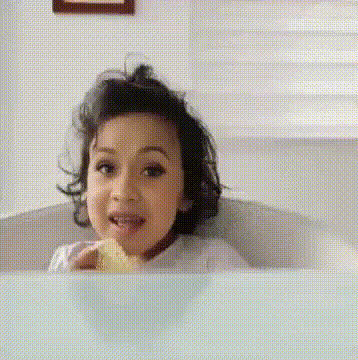
Happy New Year Shout
face-swap
Any aspect ratio
Happy New Year Shout – AI Face Swap Video Template
Create a high‑impact New Year greeting in minutes with Magic Hour’s “Happy New Year Shout” template. This AI‑powered face swap video lets you drop any face (your own, your team, your clients, or a character) into a festive shout-style animation and instantly generate a share‑ready New Year clip for social, campaigns, or personal messages.
This template is built on Magic Hour’s AI Face Swap technology and can be easily remixed or extended using tools like Face Swap Video, Lip Sync, and AI Talking Photo.
What You Can Do With the Happy New Year Shout Template
- Personalized New Year greetings for friends, family, or VIP customers
- Branded shout‑outs featuring your founders, leadership team, or mascot
- UGC‑style social content for TikTok, Instagram Reels, YouTube Shorts, and LinkedIn
- Campaign assets for New Year product launches, discounts, or year‑in‑review content
- Fun internal videos for team celebrations, remote all‑hands, or community events
The template is designed for smart, time‑constrained creators and marketers: upload, swap faces, optionally remix, and export.
How Face Swap Works (And Why It Matters)
Magic Hour’s face swap system uses modern deep learning techniques (face detection, alignment, and neural rendering) to:
- Detect faces in your input video or animation
- Map facial structure (eyes, nose, mouth, jawline) from the source photo to the target
- Blend skin tone, lighting, and perspective to keep results consistent across frames
- Preserve expressions and motion from the original clip for a natural look
For a deeper dive into similar techniques, see overviews of face reenactment and synthesis in research like “DeepFake Detection: A Survey” (IEEE, 2022) and “First Order Motion Model for Image Animation” (Siarohin et al., NeurIPS 2019). Magic Hour abstracts this complexity so you can get production‑ready clips without touching code or ML frameworks.
Fast Workflow: From Idea to New Year Shout in Minutes
-
Start from the Happy New Year Shout template
Open the template in Magic Hour via the Face Swap Video creator. This gives you a ready‑made festive animation you can personalize. -
Upload your face (or your cast)
Add a high‑quality face photo for each person you want to feature. For best results:- Use sharp, front‑facing images with good lighting
- Avoid heavy filters, sunglasses, or strong motion blur
- Use separate photos for each person to boost accuracy
-
Let Magic Hour swap the faces
The AI automatically maps and blends the uploaded faces into the template’s characters, frame by frame, while keeping the original expressions and movement. -
Remix and enhance (optional)
To turn a basic greeting into a standout asset, you can:- Turn a static image into a talking greeting with AI Talking Photo
- Make the character speak your script using Lip Sync
- Create a fully animated variant via Animation or Video‑to‑Video
- Generate new festive backgrounds using the AI Image Editor or AI Background Generator
-
Export and publish
Download your final video and post it directly to TikTok, Instagram, YouTube Shorts, X, or embed it on your website or email campaign.
Remixing This Template Inside Magic Hour
The power of this template is that it’s a starting point, not a constraint. To build your own customized “Happy New Year Shout” variant:
-
Swap in different base videos
Use the same workflow in Face Swap Video but start from your own footage: founders shouting “Happy New Year,” product demo clips, or user testimonial videos. -
Turn still New Year art into motion
- Generate a New Year character or mascot with the AI Image Generator or AI Photo Generator.
- Convert it into video using Image‑to‑Video or Animation.
- Then apply Face Swap so the mascot carries your (or your brand’s) face.
-
Create talking New Year messages at scale
Combine:- AI Headshot Generator – to create polished faces for each persona
- AI Talking Photo – to animate them
- Lip Sync and AI Voice Generator – to generate personalized scripts and voices
-
Build themed campaigns
Reuse the same faces across:- AI GIF Generator for looping New Year reaction GIFs
- AI Meme Generator for shareable New Year memes
- Photo Colorizer and Old Photo Restoration to revive past New Year photos and then re‑use them in face‑swap videos
Best Practices for High‑Quality Face Swap New Year Videos
- Prioritize clean input faces
Use high‑resolution photos with:- Neutral or smiling expressions
- Minimal occlusion (no hands over face, no large hats, no heavy reflections)
- Consistent lighting similar to your base video when possible
- Match tone and context
For B2B or professional audiences, consider generating clean, on‑brand avatars via: For playful campaigns, create stylized characters using: - Think multi‑format from the start
Plan how you’ll repurpose your New Year shout:- Use Video Upscaler to maintain quality on larger displays.
- Export shorter cuts for Reels/Shorts, and longer cuts with Auto Subtitle Generator for LinkedIn or YouTube.
- Convert standout frames into thumbnails or cover images via Thumbnail Maker or Album Cover Generator.
- Stay ethical and brand‑safe
Only swap faces you have rights and consent to use. For public figures or sensitive contexts, consider:- Using fictional characters via AI Character Generator
- Generating synthetic faces with AI Face Generator to avoid real‑person likeness issues
Advanced Ideas for Creators, Marketers, and Builders
- Hyper‑personalized New Year sales funnels
Use face‑swapped shout videos as entry points for:- Cold outreach where the founder “greets” each prospect by name
- Onboarding flows where a character explains product updates for the new year
- Community or team highlight reels
Ask your community or team to submit selfies, then:- Swap them into a shared New Year shout montage via Face Swap Video
- Compile short clips into a single celebration video and enhance quality with Video Upscaler
- Branded New Year QR experiences
Generate scannable artwork with the AI QR Code Generator, linking directly to your New Year shout video or campaign landing page, for use on packaging, posters, or emails.
Why Use Magic Hour for New Year Face Swap Content?
- End‑to‑end creative stack – Go from concept to final video using a single ecosystem: image generation, face swap, animation, voice, subtitles, and upscaling.
- Creator‑ and marketer‑friendly – No ML ops, no plugins, no timeline complexity required.
- Consistent visual quality – Tools like AI Image Upscaler, Video Upscaler, and Background Remover help maintain a professional look across all assets.
- Flexible across niches – From DTC brands and SaaS startups to agencies and solo creators, you can adapt the Happy New Year Shout template to your tone, audience, and channel mix.
Get Started
Open the Happy New Year Shout template inside the Face Swap Video creator, upload your faces, and generate your first AI‑powered New Year shout in a few clicks. From there, remix it using tools like Lip Sync, Video‑to‑Video, and the AI Image Editor to build a complete New Year campaign system around a single template.