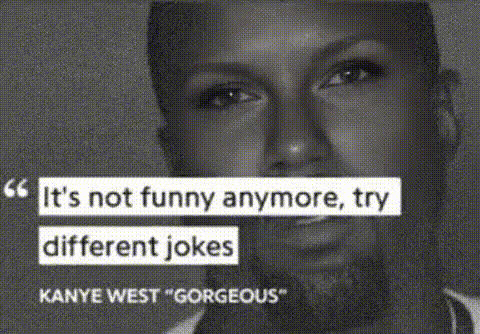
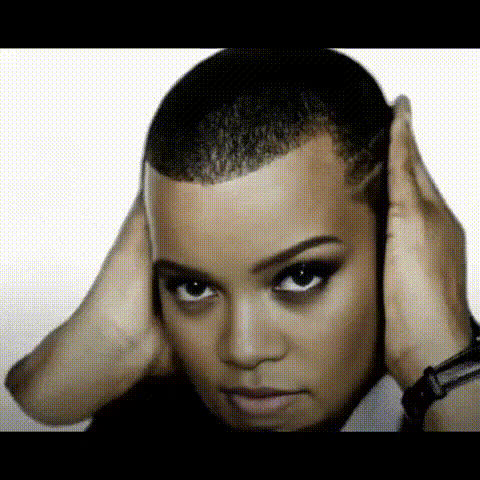
Kanye West Talking Down

Magic Hour Profile Picture
by kpop_stan

lip-sync

1 clip
19 uses

Any aspect ratio

Tags

talking heads

Kanye-Style “Talking Down” Lip Sync Template

Create sharp, dramatic talking-head videos in seconds with this Kanye-inspired lip sync template. Remix it in Magic Hour to make your own intense monologues, meme formats, reaction clips, and music promos — all powered by AI lip sync.

What This Template Does

This template is built on Magic Hour’s Lip Sync engine. It lets you:

  • Turn any voice track into a talking video — upload or record audio, and the template syncs the mouth movements automatically.
  • Capture a “talking down” delivery style — inspired by the serious, confrontational tone seen in many iconic Kanye West interviews and clips.
  • Swap in your own script and voice — use original dialogue, podcast snippets, commentary, or scripted roasts; you’re not limited to any specific quotes.
  • Produce creator-grade content fast — ideal for TikTok, Reels, YouTube Shorts, Twitter/X memes, or marketing teasers.

Legal note: this template is a stylistic and pacing reference. You are responsible for respecting rights of publicity, copyright, and platform policies when using real people’s likenesses or voices.

How to Remix This Template in Magic Hour

You can recreate or customize this template entirely inside Magic Hour using the Lip Sync tool:

  1. Start from Lip Sync
    Go to Lip Sync and open an existing lip sync template or begin from a base character.
  2. Choose or import a talking face
    Use your own photo, a character image, or a brand mascot. For higher-quality faces, you can generate or refine them with:
  3. Add your audio
    Upload a voice recording, music snippet, dialogue from your script, or a stitched audio meme. If you need synthetic speech or cloned voices, you can prepare audio beforehand with:
  4. Preview the lip sync
    The model automatically aligns lip shapes and timing to your audio so the character “talks” with realistic mouth movements and timing.
  5. Export and reuse
    Download your video, then repurpose it in other Magic Hour tools like:

Use Cases for a “Talking Down” Lip Sync

This Kanye-style template is optimized for high-intensity, direct-to-camera speech. Common use cases:

  • Short-form content & memes
    Turn hot takes, controversial opinions, or comedic rants into animated clips. Pair with:
  • Music & promo videos
    Use the intense monologue vibe to frame a track release, lyric breakdown, or behind-the-scenes commentary. Combine with:
    • Text-to-Video for animated backgrounds or visualizers.
    • Animation to turn static characters into fully animated personas.
  • Brand voice & marketing
    Give your brand mascot or founder avatar a bold, opinionated “voice” for product launch announcements, feature explainers, or campaign teasers.
  • Commentary & creator content
    Turn newsletter sections, blog posts, or X threads into talking-head clips without filming yourself on camera.

How It Works Under the Hood

Magic Hour’s Lip Sync system uses deep learning models that map phonemes (speech sounds) to mouth shapes, then blend them frame by frame with your character’s face. The result is:

  • Speech-aware lip movement — mouth position and timing adapt to consonants, vowels, pauses, and emphasis.
  • Emotionally aligned delivery — intensity, pacing, and facial posture help convey the “talking down” tone, similar to a heated interview or serious confrontation.
  • Compatible with multiple visual styles — works on photos, realistic portraits, stylized illustrations, or AI-generated characters.

For creators, this means you can iterate quickly: change the script or voice track, regenerate, and test multiple versions of the same character without reshooting video.

Advanced Remix Ideas for Power Users

If you’re building a content pipeline, startup, or marketing system, you can chain this template with other Magic Hour tools:

Related Magic Hour Templates & Tools

If you like this lip sync template, explore:

  • Face Swap Video — put your character’s face into existing video clips for reactions, remixes, or parodies.
  • Face Swap and Face Swap GIF — faster, meme-focused swaps for social posts.
  • AI Talking Photo — turn static portraits into talking avatars, ideal for profile pictures, founders, or brand mascots.
  • Image to Video — bring stills to life beyond just the mouth region for more cinematic motion.

Who This Template Is For

This “Kanye-style Talking Down” lip sync template is designed for:

  • Creators & streamers who want high-impact clips without filming every take.
  • Marketers & growth teams testing bold, personality-driven campaigns quickly.
  • Startup builders & product teams prototyping AI-native content formats, character-led onboarding, or AI hosts.
  • Developers & technical founders exploring how AI lip sync can plug into larger content automation stacks.

Remix this template in Lip Sync, plug it into your existing content pipeline, and iterate until you have a repeatable format that feels as direct and intense as a face-to-face confrontation — without ever turning on a camera.

More Like This