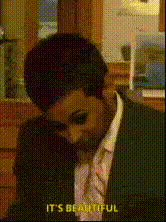
"Mini cupcakes?" - The Office
Overview
Step into a hilarious moment from "The Office" with the "Mini cupcakes?" Video Face Swap template. Infuse your friends or colleagues into an iconic scene, sparking laughter and fun in any conversation about culinary proportions. Ideal for meme enthusiasts and fans of the beloved show.
What It Does
This Video Face Swap template allows you to insert any face into the classic "Mini cupcakes?" scene from "The Office." Simply upload your image and watch it come to life in this memorable TV moment, providing a hilarious twist to your videos.
Who It's For
This template is perfect for fans of "The Office," meme creators, and anyone who loves adding a comedic touch to their videos. Whether you're spicing up an Instagram story or crafting a funny message for a friend, this template will amuse and entertain.
Summary
Craft unforgettable and humorous content with the "Mini cupcakes?" Video Face Swap template. Leverage the power of AI Image to Video technology to bring the hilarity of "The Office" to your personal or social media channels.
How To
Choose the Template

Customize Your Inputs

Generate and Download

Use Cases
Social Media Memes
- Add comedic value to Instagram stories
- Craft viral TikTok videos
Personalized Messages
- Embed friends or family in the scene
- Send as a fun e-card
Themed Parties
- Create themed invitations
- Display as part of event visuals
Best Practices
Choose High-Resolution Images
Ensure the face you upload is of high quality to achieve the best visual results in the video.Match Lighting Conditions
Try to use images with similar lighting to the original scene for a more seamless swap.Experiment with Different Faces
Explore humorous outcomes by swapping various friends’ faces into the same scene.