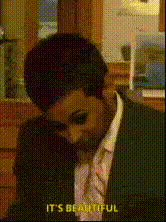
"Bears, Beets, Battlestar Galactica" - The Office
face-swap
Any aspect ratio
Tags
memes“Bears, Beets, Battlestar Galactica” – The Office Face Swap Video Template
Turn an Iconic The Office Scene into Your Own Face Swap Meme
This template lets you drop yourself (or anyone else) straight into one of the most quoted moments from The Office: Jim Halpert’s deadpan “Bears. Beets. Battlestar Galactica.” prank on Dwight Schrute. Using Magic Hour’s AI-powered Face Swap, you can instantly replace Jim’s face with your own, a friend’s, or a character you’ve created—and export a polished meme-ready video in minutes.
It’s ideal for:
- Social media memes and reaction content
- Marketing and brand posts riffing on The Office
- Team culture videos, internal jokes, and Slack/Discord fun
- Creator content on TikTok, Instagram, YouTube Shorts, or Reels
Why This Scene Works So Well for AI Face Swap
“Bears, Beets, Battlestar Galactica” comes from the cold open of Season 3, Episode 20 (“Product Recall”) of The Office, where Jim impersonates Dwight—copying his clothes, mannerisms, and catchphrases. It’s widely cited as one of the show’s most memorable pranks, referenced across Reddit, YouTube compilations, GIFs, and meme culture. Because the scene is:
- Short and punchy – perfect for looping, sharing, and reposting.
- Dialogue-driven – a single, instantly recognizable line anchors the entire clip.
- Face-focused – Jim’s face is clearly visible, making it ideal for clean face swaps.
- Culturally familiar – the meme is already understood; your face swap rides on that familiarity.
That combination makes this template a strong choice if you want high engagement without needing to script or storyboard from scratch.
What You Can Do with This Template
Using this template plus Magic Hour’s Face Swap, you can:
- Put yourself in the scene as Jim pranking Dwight.
- Turn it into a team or brand meme by swapping in your coworkers or mascot.
- Create multiple variations (e.g., different team members as Jim) for a campaign or internal rollout.
- Generate character-based content using faces created with tools like AI Character Generator or Avatar Generator.
- Build a series of The Office–style pranks by remixing the clip into different edits or formats (square, vertical, meme-style overlays).
How to Remix This Template in Magic Hour
You don’t need editing experience to remix this template. Here’s a practical workflow creators and marketers can follow:
-
Start with the Face Swap Video creator
Open the Face Swap Video tool. This is where you’ll apply your face (or any other face) to Jim in the clip. -
Upload your source face
Use a clear, front-facing photo with good lighting. For best results, avoid heavy filters or extreme angles. If you need a clean, stylized or professional headshot first, you can generate one with the AI Headshot Generator or AI Selfie Generator. -
Apply Face Swap to the template scene
Use the template video as your target and map your source face onto Jim’s face. The model will track expressions and head movement so the prank still feels natural and in-character. -
Polish visuals (optional)
If you want extra refinement:- Enhance clarity with the Video Upscaler or, for stills, the AI Image Upscaler.
- Retouch or adjust still images used in thumbnails or promos using the AI Image Editor or AI Face Generator.
-
Export and repurpose
Once your face-swapped video looks right, export and:- Cut it into vertical clips for TikTok, Reels, or Shorts.
- Turn it into a looping GIF with the AI GIF Generator or Face Swap GIF.
- Create meme variants with captions using the AI Meme Generator.
Advanced Remixes for Creators and Teams
If you’re building content pipelines, campaigns, or series, consider these more advanced ways to extend the template:
-
Multi-character face swaps
Swap not just Jim’s face but multiple characters in your derived edits (e.g., you as Jim and your co-founder as Dwight). You can process each character separately using Face Swap and combine them in one edit. -
Talking photo and avatar variants
Use the audio from the scene or your own recording and drive a still image with AI Talking Photo. This is useful when you want Office-style lip sync without using the full original video. -
New characters in the same line
Generate stylized characters (anime, cartoon, or fantasy) with tools like AI Anime Generator, AI Art Generator, or Animated Characters Generator. Then drop those faces into the scene via Face Swap Video for a surreal remake. -
Custom voice and localization
Re-record the line in your own voice or a cloned one using AI Voice Cloner or generate a voice in another language with the AI Voice Generator. Pair that audio with your face-swapped scene for localized campaigns or internal jokes in different regions. -
Clean meme assets and thumbnails
Create thumbnails or cover images referencing the scene with Thumbnail Maker or Album Cover Generator, and remove unwanted elements using Remove Object from Photo or Image Background Remover.
Best Practices for High-Quality Face Swap Content
-
Use high-quality source faces
Crisp, well-lit photos lead to more convincing swaps. If you only have low-res inputs, sharpen them with Unblur Image before face swapping. -
Match expressions and angles where possible
Source photos that broadly match Jim’s expression in the scene (neutral or slightly amused) tend to look more natural in motion. -
Stay within fair use and platform guidelines
This type of edit is typically used as parody, commentary, or meme content. Always check your distribution platform’s rules around copyrighted footage and AI-generated content, and respect personality rights if you’re swapping in real people. -
Test short before scaling
If you’re planning a campaign, run a small test with a single edit, gather feedback on realism and tone, then generate multiple versions once you’re satisfied.
Related Magic Hour Tools for Office-Style Content
To build a larger content ecosystem around this meme, consider combining this template with:
- Lip Sync – re-dub other Office clips with your own script.
- Video-to-Video – stylize the scene (e.g., anime, comic book, or minimalist line art versions).
- Text-to-Video – generate new Office-style scenarios using your own scripts.
- Auto Subtitle Generator – instantly add captions for social media and accessibility.
- AI Image Generator and Book Cover Generator – create supporting visuals for blogs, newsletters, or landing pages referencing the meme.
Summary
The “Bears, Beets, Battlestar Galactica” template is a ready-made, high-signal meme asset: instantly recognizable, tightly edited, and perfectly suited for AI face swap. By combining this template with Magic Hour’s Face Swap and related tools, creators, marketers, and teams can quickly produce on-brand, shareable Office-style content—without manual compositing or complex video editing.
Remix it once for fun—or integrate it into a repeatable pipeline for campaigns, social calendars, and culture-building content across your organization.