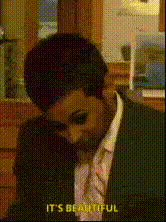
The Office Shoot Out

face-swap

1 clip
23 uses

Any aspect ratio

Tags

memes

The Office Shoot Out – Face Swap Video Template

Turn “The Office” Into Your Office

Drop yourself and your friends into a chaotic Dunder Mifflin showdown. The “The Office Shoot Out” Face Swap Video Template lets you put new faces on iconic characters from the hit TV series and instantly generate a short, shareable meme-style video — perfect for TikTok, Instagram, YouTube Shorts, or internal team fun.

This template is built on Magic Hour’s AI Face Swap technology and runs in the browser. No editing skills or complex timelines required: upload faces, generate, download, share.

What This Face Swap Template Does

Using AI-powered face replacement, this template:

  • Maps your face onto “The Office” characters frame-by-frame, preserving lighting, head angle, and expressions.
  • Keeps the original performance (motion, timing, and body language) while replacing only the face.
  • Outputs a ready-to-post video with no manual masking, tracking, or rotoscoping.

Under the hood, modern face swap models use deep learning to detect facial landmarks, align them, and synthesize a new face that matches pose and expression (see, for example, research around neural face reenactment and deepfakes). Magic Hour wraps this technology in a fast, creator-friendly workflow.

How to Remix This Template in Magic Hour

You can use the template as-is, or treat it as a starting point for your own custom “Office” meme. To build your version inside Magic Hour:

  1. Start with Face Swap Video
    Go to the Face Swap Video creator. This is where you upload a base clip and the faces you want to insert.
  2. Use the “The Office Shoot Out” preset
    Select the Office shootout clip as your base template. This gives you the pre-framed scene and timing so you don’t have to source or edit footage.
  3. Upload your faces
    Add clear, front-facing photos of you, your teammates, or your characters. High-quality, well-lit images generally give more convincing swaps.
  4. Assign faces to characters
    Map each uploaded face to a character (e.g., you as Michael, teammate as Dwight, founder as Jim, etc.) so the AI knows who replaces whom.
  5. Generate and preview
    Run the face swap and review the result. If a face looks off, try a sharper or more front-facing source image and re-generate.
  6. Download and repurpose
    Export the final video. From there, you can repurpose it:

Ideas: How Creators & Teams Use This Template

  • Marketing & Growth: Turn your leadership team into Michael, Dwight, and Jim for a product launch gag or a “startup shootout” between features.
  • Internal culture: Swap your executive team into the scene as part of an all-hands opener or offsite meme.
  • Creators & meme accounts: Recast the scene with celebrities, fictional characters, or your recurring persona to build a themed content series.
  • Developers & product teams: Quickly prototype “explainer memes” for feature announcements or bug-fix celebrations.

Why Use This Specific Template?

  • Instantly recognizable IP: “The Office” (U.S.) ran from 2005–2013 and remains one of the most streamed sitcoms globally, making its scenes highly memeable and instantly relatable.
  • High comedic density: The chaotic shootout setup gives strong facial reactions and physical comedy, which read well even on mute inside feeds.
  • Fast production: You skip sourcing, clipping, and cleaning raw footage. The scene is pre-framed and ready for face swap.
  • Works for both B2C and B2B: Great for meme accounts and for teams who want to humanize a serious brand.

Best Practices for Realistic Face Swaps

  • Use clean, high-res photos: Faces with clear eyes, no heavy motion blur, and minimal obstruction (no large sunglasses, heavy shadows) generally produce better swaps.
  • Match angle and expression when possible: If the target character is looking slightly sideways or laughing, pick a source image with a similar pose or energy.
  • Test a few faces: For key characters, try 2–3 different source photos and pick the best output.
  • Respect likeness and rights: If you’re using public figures, check platform policies and legal guidance for your use case (especially for ads or commercial campaigns).

Level Up Your “Office” Edits With Other Magic Hour Tools

Once you have your face-swapped shootout, you can build a full content pipeline around it using other Magic Hour tools:

How to Create Your Own Office-Style Template From Scratch

If you want to go beyond this preset and build a new “Office-style” template:

  1. Source or create a clean base clip
    Use your own footage (e.g., a mockumentary-style office skit) or generate an animated sequence with the AI Art Generator plus Text-to-Video.
  2. Face-swap your cast
    Upload that footage into Face Swap Video and assign your team or characters to each role.
  3. Standardize your look
    If you want a recurring meme series, keep consistent characters (same uploaded photos) so audiences recognize your “cast” from video to video.
  4. Package as a reusable workflow
    Once you’ve validated a format that performs (CTR, watch time, shares), treat it as your internal “template” and simply rotate faces, captions, or audio for new episodes.

Who This Template Is For

  • Creators and meme pages who need fast, repeatable formats built on recognizable scenes.
  • Growth and social teams looking to test short-form meme content without adding full-time editors.
  • Founders and startup teams who want lightweight culture content, launch gags, or recruiting memes.
  • Agencies building low-lift, high-engagement experiments for client social channels.

Next Steps

Open the Face Swap Video creator, choose the “The Office Shoot Out” template, upload your faces, and generate your first clip. From there, iterate quickly: test different casts, different captions, and different channels until you find the version that resonates with your audience.

More Like This