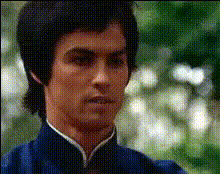
Bruce Wayne Edit
face-swap
Any aspect ratio
Tags
moviesBruce Wayne Edit – Cinematic Face Swap Video Template
Turn Yourself Into Gotham’s Billionaire Vigilante
The Bruce Wayne Edit is a ready-to-use AI face swap video template built on Magic Hour’s Face Swap Video creator. In a few minutes, you can drop your own face (or any other) into a Bruce Wayne-style cinematic edit — no manual masking, rotoscoping, or VFX skills required.
This template is designed for creators, marketers, and startup teams who want high-impact short-form content for TikTok, Reels, YouTube Shorts, or campaigns. Remix it, customize it, and ship a polished face swap video that looks like a scene from a movie.
What This Template Does
This template uses Magic Hour’s AI-powered Face Swap engine to automatically:
- Detect faces in each frame of the base Bruce Wayne-style video
- Replace the original face with your chosen face while preserving expressions, angle, and motion
- Blend skin tone, lighting, and perspective so the result feels like native footage, not a static overlay
- Render a ready-to-share video optimized for social media and campaigns
Face swapping has evolved from simple filters into a production tool used in films, advertising, and UGC campaigns. Magic Hour brings that capability into a browser-based workflow that anyone on your team can use.
How to Remix This Template in Magic Hour
You can create your own version of the Bruce Wayne Edit by starting from the Face Swap Video template and remixing it:
-
Start from Face Swap Video
Open Face Swap Video. This is the base tool behind the Bruce Wayne Edit template. You can either:- Use the pre-made Bruce Wayne-style base clip (if provided in your template library), or
- Upload your own “billionaire vigilante” style footage (walking through a mansion, boardroom, rooftop, etc.).
-
Upload the face you want to swap in
Add a:- Selfie or portrait for a personal Bruce Wayne edit
- Actor / influencer photo for casting ideas and moodboards
- Brand character or AI-generated avatar using tools like the Avatar Generator or AI Character Generator
-
Let Magic Hour handle the AI face swap
Magic Hour automatically:- Tracks the face throughout the clip
- Generates intermediate frames so expressions stay natural
- Matches perspective as the head turns or moves
-
Polish the look and feel
To get closer to a grounded, cinematic Bruce Wayne aesthetic, most creators:- Ensure the source face and base video have similar lighting and angle
- Use Magic Hour’s AI Image Upscaler on low-res face photos before swapping
- Touch up stills in the AI Image Editor if needed (skin, contrast, background cleanup)
-
Export and repurpose
Export your final video and repurpose it across:- Short-form social (Reels, TikTok, Shorts)
- Landing pages and campaigns
- Internal decks or pitch materials (e.g., “hero persona” concepts)
- Lip Sync to make Bruce Wayne speak your script
- Video to Video to restyle the footage (noir, comic-book, anime, etc.)
- Auto Subtitle Generator for captions and accessibility
Use Cases for Creators, Marketers, and Teams
- Personal edits & social content
Turn yourself into a Gotham-style billionaire for memes, fan edits, or cinematic intros. - Brand storytelling
Cast your founder, customer persona, or mascot as a “Bruce Wayne” archetype in hero content. Combine with the Text-to-Video and AI Voice Generator products for fully AI-driven ads or explainers. - Product launches & teasers
Build dramatic launch teasers where your protagonist (real or fictional) takes on the Bruce Wayne-style role. Use Thumbnail Maker to create matching cover art. - Concept art & previsualization
Quickly test casting or character looks by face-swapping actors or avatars into scenes before investing in full production. Pair with the AI Art Generator or AI Anime Generator to explore alternate visual directions.
Creative Inspiration & “Lore”
The Bruce Wayne archetype — wealthy, controlled, morally conflicted, often framed in low-key lighting, sharp tailoring, and urban skylines — is a proven visual language in film and advertising. This template leans into that language so you can:
- Frame your subject as a high-status protagonist
- Borrow the feel of neo-noir and superhero cinema without infringing specific IP
- Prototype premium-feeling narratives around your product, team, or audience persona
For stylized variations, some teams:
- Generate comic or manga-style backgrounds with the Comic Book Generator or AI Manga Generator
- Create alternative universes (cyberpunk Bruce, fantasy Bruce, etc.) using the Dark Fantasy AI or AI Background Generator
- Design on-brand posters or covers with the Book Cover Generator or Album Cover Generator
Advanced Remix Ideas
Because this template is built on Magic Hour’s modular tools, you can stack multiple AI workflows:
-
Talking Bruce Wayne persona
- Use this template via Face Swap Video to put your face into the scene.
- Turn a still or frame into a talking avatar with AI Talking Photo.
- Drive the voice with AI Voice Cloner or AI Voice Generator.
-
Stylized cinematic universes
- Generate key character images using the AI Image Generator or AI Photo Generator.
- Turn those into animated sequences with Image to Video or Animation.
- Face-swap yourself or your team into those universes with Face Swap GIF or the main Face Swap product.
-
Campaign-ready assets
- Pull stills from your Bruce Wayne Edit.
- Refine them with the AI Face Editor and Image Background Remover.
- Use AI Logo Generator and AI Icon Generator to wrap everything in a coherent visual system.
Best Practices for High-Quality Face Swap Videos
- Match lighting and angle
Choose a source face photo where the light direction and head tilt roughly match the base video. This dramatically improves realism. - Use high-resolution sources
Blurry selfies lead to soft swaps. Run low-res images through the AI Image Upscaler first. - Keep expressions neutral when possible
Neutral or lightly expressive source faces adapt more flexibly to a wide range of emotions in the target video. - Test multiple faces quickly
For casting or concept work, batch-run multiple faces through the template and compare. This is significantly faster than traditional VFX workflows. - Level up your thumbnails
After exporting, grab a hero frame and refine it with the Thumbnail Maker for higher CTR on YouTube and social.
Ethics, Permissions, and Brand Safety
Face swap technology is powerful, so it’s important to use it responsibly:
- Get consent before using someone else’s likeness, especially for commercial or public work.
- Respect copyrighted characters, brands, and franchises; use archetypes and original characters for ad or product campaigns.
- Be transparent with collaborators and stakeholders that you are using AI-generated or AI-edited content.
Related Magic Hour Tools You May Want to Use
Many teams pair the Bruce Wayne Edit template with:
- AI Headshot Generator – create polished Bruce-like corporate portraits
- AI Clothes Changer – swap into suits, tuxedos, or tactical outfits
- AI Outfit Generator – explore wardrobe options for your character
- Unblur Image and Old Photo Restoration – rescue older or low-quality reference photos before swapping
- Video Upscaler – sharpen and enhance your final Bruce Wayne edit for larger screens
Build Your Own Bruce Wayne-Style Template
If you want to go beyond this preset and build a fully custom template for your brand or series:
- Storyboard your “Bruce Wayne” moment: setting, framing, motion.
- Shoot or generate a clean base clip (or multiple angles).
- Run it through Face Swap Video and save your configuration as a reusable workflow.
- Standardize supporting assets (posters, covers, characters) with tools like the AI Art Generator, AI Background Generator, and AI Logo Generator.
- Document how your team should plug in new faces and scripts so anyone can create on-brand variants in minutes.
The Bruce Wayne Edit template demonstrates what’s possible when you combine AI face swap with a strong cinematic archetype. Remix it, iterate on it, and use it as the backbone for your own character-driven campaigns inside Magic Hour.