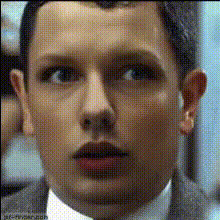
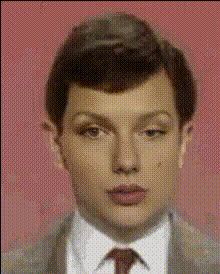
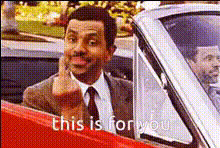
Mr Bean - this is your man?

Magic Hour Profile Picture
by runs

face-swap

1 clip
229 uses

Any aspect ratio

Tags

movies

Mr Bean “This Is Your Man?” Face Swap Template

Bring Yourself into a Classic Mr Bean Moment

Drop yourself—or a friend—into one of the most iconic Mr Bean reaction shots. This template uses Magic Hour’s AI Face Swap technology to replace the original face in the scene with your own, while keeping the original expression, timing, and movement.

It’s built for short-form video, memes, and social clips where you want instant recognition and a reliable laugh, without spending hours on manual editing or motion tracking.

What This Template Does

The “Mr Bean – This Is Your Man?” template is a pre-built face swap video setup. When you remix it in Magic Hour, you can:

  • Swap the original actor’s face with your own, a friend’s, or a character you’ve generated with AI
  • Keep the original body, scene, camera motion, and lighting intact
  • Generate a ready-to-share clip for TikTok, Instagram Reels, YouTube Shorts, or internal demos
  • Create variations quickly by swapping in different faces or alternate source images

Under the hood, the template uses the same engine that powers Magic Hour’s AI Face Swap and Face Swap GIF tools, which are designed for consistent identity, lip alignment, and motion-aware blending.

How to Remix This Template in Magic Hour

You don’t need to build this from scratch. The fastest way to create your own Mr Bean–style clip is to remix the template in the Magic Hour editor:

  1. Open Face Swap Video Go to Face Swap Video. This is the core tool all templates like this are based on.
  2. Load or Import the Mr Bean Template From the template gallery, search for “Mr Bean – This Is Your Man?” and open it. This automatically loads the base clip and the face-mapping setup.
  3. Add Your Face Upload a clear, front-facing image or short clip of the person you want to insert. For best results, use:
    • Good lighting and minimal shadows on the face
    • Neutral or slightly expressive pose (not heavily distorted)
    • High-resolution image if possible (you can sharpen it with the AI Image Upscaler)
  4. Generate the Swap Run the face swap. Magic Hour will track the original performance frame-by-frame and apply your face while preserving facial motion, head turns, and perspective.
  5. Preview, Tweak, Remix Review the clip. If you want a different look:
    • Try another source photo (e.g., more frontal or better lit)
    • Generate a stylized face with the AI Image Generator or AI Face Generator and swap that in instead
    • Use the AI Image Editor to adjust the source face (glasses, facial hair, etc.) before swapping
  6. Export and Share Export in your preferred format and post to social, embed in a landing page, or drop it into a marketing deck or internal demo.

Best Practices for High-Quality Mr Bean Face Swaps

  • Match Head Angle and Expression The closer your source face matches Mr Bean’s angle (slight tilt / orientation in the shot), the more seamless the result. If you’re generating a face with Avatar Generator or AI Character Generator, aim for similar pose and expression.
  • Use Clean, Detailed Faces Avoid tiny crops, heavy blur, or extreme filters. If you only have a low-res image, enhance it first with the Unblur Image tool or AI Image Upscaler.
  • Think About Context and Audience Mr Bean is highly recognizable and global, which makes this template effective for:
    • Short-form comedy content and memes
    • Product launch teasers with a playful angle
    • Internal culture videos (e.g., “This is your man for Q4 targets”)
    • Creator intros and reaction content
  • Layer with Other AI Tools After generating your swap:

Advanced Remix Ideas for Creators and Teams

Because the template is built on the same backbone as Video-to-Video and Animation, you can repurpose it beyond a single meme:

  • Brand or Team “Mr Bean” Generate a stylized team mascot with the AI Art Generator, then use that face in this template for recurring reaction clips in your content.
  • Talking Mr Bean–Style Clips Combine this template with:
  • Multi-Character Edits Use multiple face swaps across different characters in the same scene. For example, put your entire founding team into different roles in a Mr Bean–style setup, then stitch clips together using Magic Hour outputs.

Why Mr Bean Works So Well for Face Swap

Mr Bean, created by Rowan Atkinson and Richard Curtis, is known for extremely expressive, largely non-verbal comedy. The character’s exaggerated facial expressions and physical reactions are ideal for AI face swap because:

  • They communicate emotion clearly, even on mute—perfect for short-form social platforms.
  • The performance is visually driven, so your swapped face will still “read” as funny without relying on complex dialogue.
  • Mr Bean is globally recognizable; the franchise has been broadcast in hundreds of territories and adapted into animated series, films, and digital content, making the meme context instantly understood by most viewers.

Building Your Own Character-Based Face Swap Templates

If you like this Mr Bean setup, you can create similar templates around other characters or personas:

  1. Source a Clear Base Clip Choose a short, high-quality video with strong expression and clean framing. You can later stylize it with Video-to-Video or turn it into animation with Animation.
  2. Define the “Hero” Reaction Pick moments with distinct emotional beats (shock, excitement, confusion). These make for repeatable templates and reaction formats.
  3. Wrap It as a Remixable Format Build your base in Face Swap Video and keep the structure reusable so others can swap in their own faces, like you do with the Mr Bean template.

Ethics, Permissions, and Responsible Use

When working with recognizable characters and faces:

  • Use templates and assets in line with platform terms of use and applicable rights.
  • Be transparent with your audience when using AI-generated or AI-edited content, especially in marketing and brand communication.
  • Avoid misleading edits in sensitive contexts (e.g., news, politics, personal reputation).

Start Remixing the Mr Bean Template

To create your own “This Is Your Man?” moment:

  • Open the Mr Bean template via Face Swap Video
  • Upload your face or a generated character
  • Generate, refine, and export your clip

From there, you can chain it with tools like AI GIF Generator, Video Upscaler, and Auto Subtitle Generator to turn one template into a complete content asset ready for social, campaigns, or internal storytelling.

More Like This